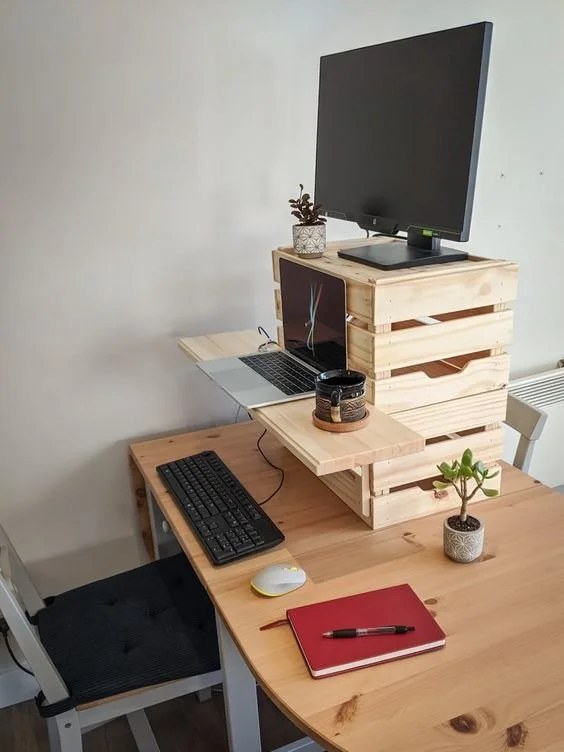
How to Make a Standing Desk With Storage That Works

Build or choose a standing desk with an open center, stable frame, and storage placed to the side or in shallow drawers. The best setup keeps cables, legroom, and ergonomics clear before adding extra shelves or cabinets.
Knowing how to make a standing desk with storage starts with one key idea: the desk has to support movement first and storage second. The best setups keep your screen, keyboard, cables, and daily essentials within easy reach without stealing legroom, creating wobble, or turning the work surface into a crowded shelf.
A good standing desk with storage can be built from scratch, assembled from modular parts, or created by upgrading a simple desk frame with smart add-ons. The right route depends on your room size, how often you switch between sitting and standing, and whether you need to store paperwork, tech, creative tools, or a little of everything.
- Desk type first: Fixed-height desks are easiest to build with storage, while adjustable desks need lighter, better-placed.
- Legroom matters: Side cabinets usually work better than deep center drawers for comfort and movement.
- Plan power early: Cable routes, charger storage, and monitor placement should be decided before building.
- Choose durable materials: Plywood, solid wood, and metal usually balance strength, appearance, and longevity best.
- Keep storage edited: Closed storage controls clutter, while open shelves should hold only a few intentional items.
How to Make a Standing Desk With Storage That Actually Works
Start with the right desk type: fixed-height, adjustable, or sit-stand converter
The first decision is structural, not decorative. A fixed-height standing desk is the simplest option if you mainly work standing up or use a tall stool part of the day. It is often easier to build because you are working with a stable, non-moving base, which makes it easier to add drawers, shelves, or side cabinets.
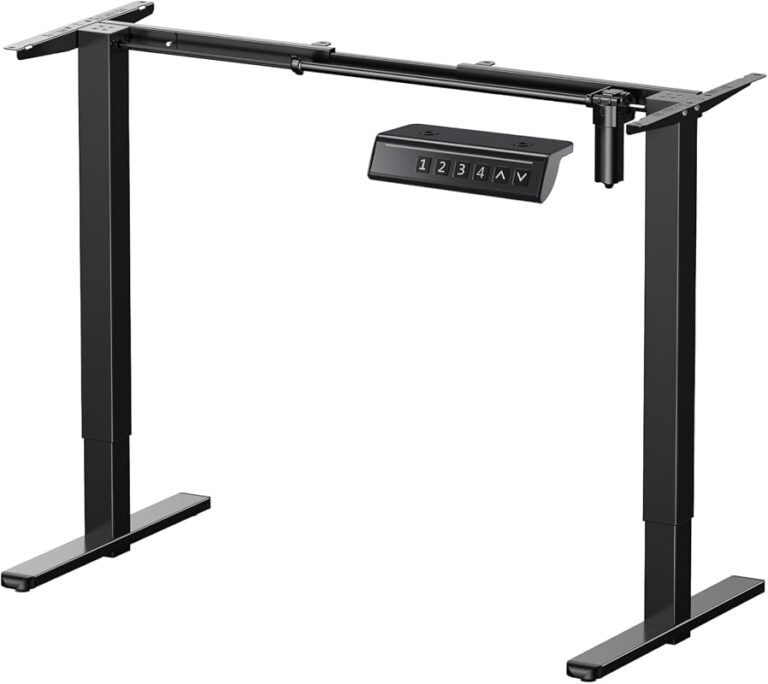
An adjustable desk frame gives you more flexibility, but it changes how storage can be added. Anything mounted under the desktop needs to move with the top, which means heavy drawer banks or deep shelves can reduce leg clearance and strain the lifting system. If you want a sit-stand desk with built-in storage, side-mounted storage or nearby companion units usually work better than bulky under-desk cabinets.
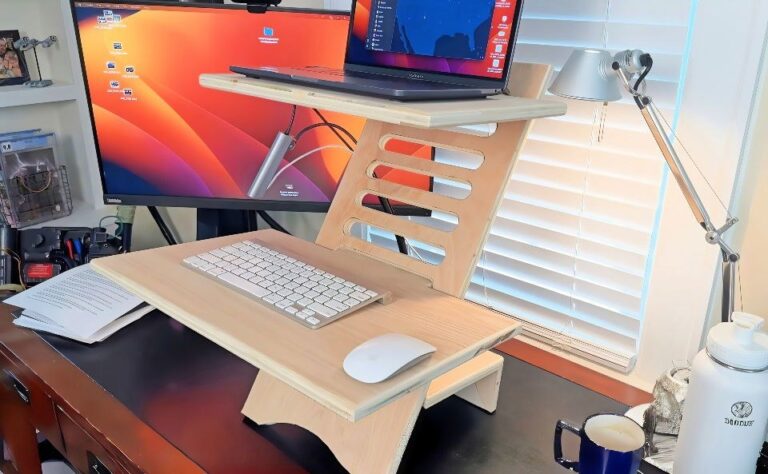
A sit-stand converter is the least invasive option. Instead of building a full new desk, you place a converter on top of an existing storage desk. This can make sense in small rooms or rentals, especially if you already own a desk with drawers. The trade-off is reduced surface depth and a more layered look.
If your project is compact and more furniture-like than technical, Hurrell Editions also has a guide on how to build a small writing desk, which can help with proportions and layout thinking before you adapt the design for standing height.
Choose storage that stays accessible without crowding legroom or movement
Storage should support your workflow, not interrupt it. That usually means keeping the most-used items between waist and shoulder height when standing, and avoiding anything that forces you to twist, crouch, or reach behind the desk repeatedly.
For a practical build, think in layers. The desktop is for active tasks only: laptop, monitor, keyboard, notebook, and perhaps one pen cup. The next layer is quick-access storage, such as a shallow drawer, a small side shelf, or a slim cabinet. The third layer is long-term storage for files, chargers, spare tech, or supplies you do not need every hour.
Shallow drawers are often more useful than deep ones because they prevent items from becoming a jumbled stack. Side cabinets can work well if they sit flush with the desktop and do not make the desk feel visually top-heavy. Wall-mounted shelving is excellent for vertical storage, but it should not replace the need for knee space below.
If you switch between sitting and standing, leave the entire center underside of the desk open and place storage to one or both outer sides instead.
Plan cable management, monitor height, and daily reach zones from the beginning
One of the biggest mistakes in desk design is treating cable management as an afterthought. A beautiful desk with visible power bricks, tangled cords, and nowhere to dock a laptop quickly feels unfinished. Plan where power will enter the desk, where chargers will live, and how cables will move if the desktop height changes.
Monitor height matters just as much. Your screen should sit high enough that you are not tipping your head down all day, but not so high that your shoulders tense upward. If you use a monitor arm, check whether your desktop material is strong enough for clamping and whether rear storage blocks the arm’s range of motion.
Daily reach zones are simple but important. Items used constantly should stay in the closest arc around your body: keyboard, mouse, notebook, water, and phone. Secondary items like staplers, planners, and charging cables can sit farther out. Rarely used items belong in closed storage.
List what stays on the desk every day and what can be stored away.
Decide between fixed standing height, adjustable frame, or a converter.
Keep the center clear for knees, foot position, and stool use.
Decide where strips, chargers, and cable trays will go before drilling or buying hardware.
What to Look for Before You Build or Buy
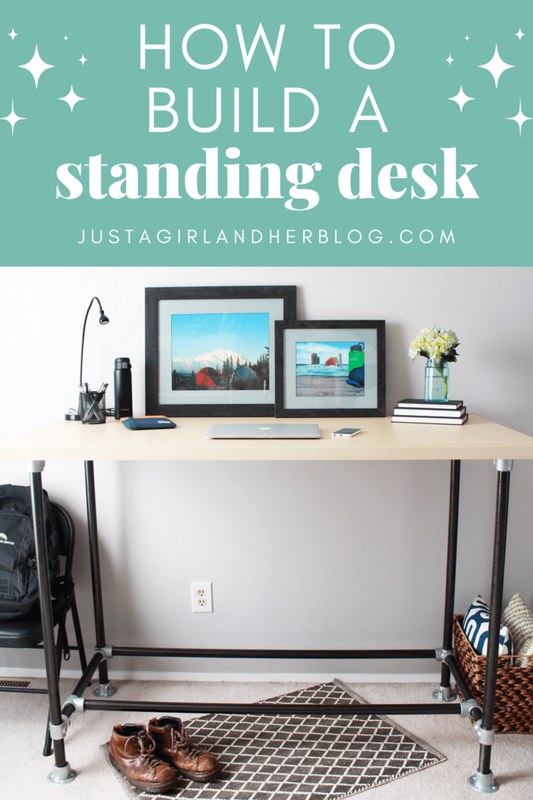
A standing desk with built-in storage is shown in a home office setting.
Weight capacity, stability, and wobble control
A standing desk with storage carries more than a basic desk, so stability is non-negotiable. The desktop itself may support a monitor, laptop, books, task light, and accessories, while the storage adds more weight in concentrated areas. If you are buying a frame or ready-made desk, confirm the manufacturer’s listed weight capacity and whether that figure includes dynamic lifting on adjustable models.
Wobble usually comes from three issues: a narrow base, poor joinery, or uneven weight distribution. A side cabinet packed with files can make one end of the desk feel heavier than the other. Cross-bracing, strong corner brackets, and a properly sized top all help. On hard floors, adjustable leveling feet can make a bigger difference than people expect.
Desktop size, depth, and usable work surface
The usable surface matters more than the overall footprint. Storage can visually enlarge a desk while functionally shrinking it. A monitor riser, rear cubby, or hutch may sound helpful, but if it pushes your keyboard too close to the edge, comfort drops fast.
Depth is especially important for standing posture. A shallow desk can work for a laptop-only setup, but once you add a monitor, keyboard, or lamp, the surface may feel cramped. If you are choosing between more drawers and more depth, depth often wins because it improves both ergonomics and visual calm.
Storage formats: drawers, shelves, cubbies, filing, and hidden compartments
Different storage types solve different problems. Drawers are best for small objects, stationery, cables, and items you want out of sight. Shelves are better for books, baskets, and display pieces. Cubbies can be useful in family spaces or creative studios, but they tend to look messier unless each compartment has a clear purpose.
Filing storage is only worth the footprint if you truly handle paper regularly. Otherwise, a slim drawer with document folders may be enough. Hidden compartments can be attractive for chargers and routers, but they need ventilation and access. Avoid fully sealing in electronics that generate heat.
| Storage Type | Best For | Key Consideration |
|---|---|---|
| Shallow drawers | Stationery, chargers, notebooks | Keep them light on adjustable desks |
| Side cabinet | Files, larger tools, paper storage | Watch one-sided weight loading |
| Open shelves | Books, baskets, decor | Can look cluttered quickly |
| Wall shelving | Vertical storage in small rooms | Check wall type and mounting limits |
| Hidden compartment | Power strips, routers, tech accessories | Allow airflow and cable access |
Ergonomic essentials: keyboard height, screen position, and anti-fatigue support
The most stylish standing desk still fails if it encourages shoulder tension or wrist strain. Keyboard height should let your arms rest naturally rather than lifting your elbows high. Screen position should support a neutral gaze, and your feet need enough room to shift during the day.
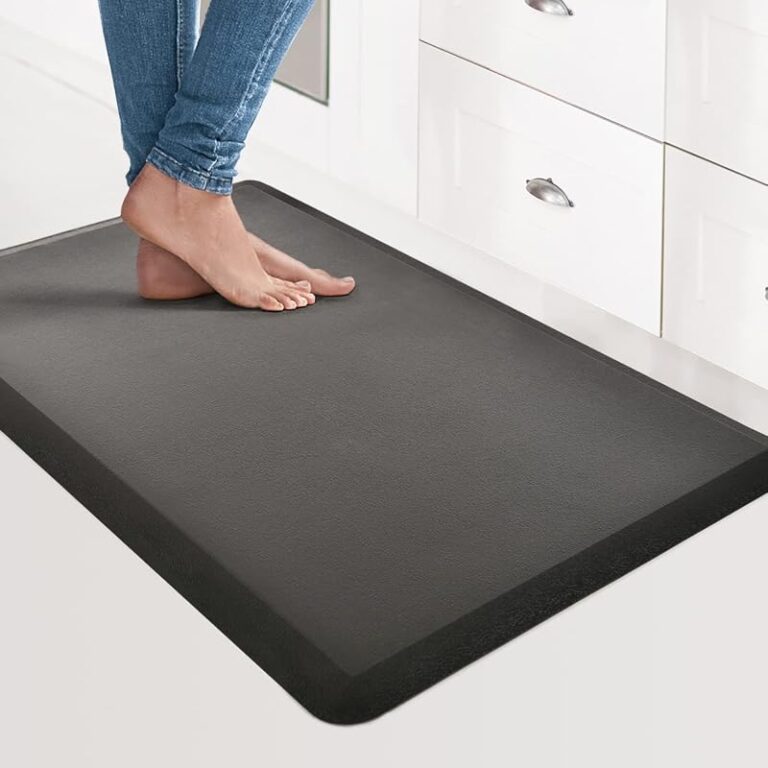
An anti-fatigue mat can make standing more comfortable, but it needs floor clearance and should not interfere with drawers or casters. If you use a perch stool, make sure the foot area stays open and the desk apron does not block your knees.
Creative readers planning a more specialized setup may also find useful ideas in this guide to the best standing desk for artists, especially for balancing workspace, tools, and movement.
Best Materials, Finishes, and Hardware for a Durable Home Office Setup
Solid wood, plywood, MDF, and metal: what each does well
Material choice affects cost, appearance, durability, and how easy the desk is to modify later. Solid wood feels warm and substantial, and it can age beautifully, but it may be heavier and more expensive. It also moves slightly with humidity, so long spans need proper support.
Plywood is often the sweet spot for DIY builds because it is stable, strong for its weight, and available in furniture-grade finishes. It can be painted, veneered, or edged for a cleaner look. MDF gives a smooth painted finish and works well for drawer fronts or cabinet panels, but it is heavy and less forgiving around moisture.
Metal frames bring strength and a slimmer profile. Powder-coated steel bases pair well with wood tops and suit adjustable mechanisms especially well. The most durable builds often combine materials rather than relying on one alone.
Drawer slides, brackets, casters, and wall anchoring where needed
Good hardware is what makes storage feel smooth instead of frustrating. Full-extension drawer slides are usually worth choosing because they let you see and reach the back of a drawer. Soft-close hardware is pleasant but not essential; smooth alignment matters more.
Brackets should match the weight and span they support. Casters can be useful for side storage units, but they need to lock securely or the desk zone can feel unstable. If you add tall shelving above or beside the desk, check wall type, product instructions, and weight limits carefully. For heavy wall-mounted storage, a professional installer may be the safer choice.
Do not overload floating shelves or wall-mounted cabinets above a desk without confirming the wall type, anchor suitability, and the storage unit’s intended load.
Finishes that suit 2026 interiors and hold up to daily use
In 2026 home offices still lean toward calm, layered finishes rather than glossy office furniture looks. Matte wood tones, warm oak effects, walnut stains, painted off-whites, muted grays, and blackened metal remain easy to integrate into living spaces.
For durability, low-sheen finishes tend to hide fingerprints and small scratches better than high gloss. Laminate can be practical for busy households because it wipes clean easily, while sealed wood offers more character if you are willing to maintain it. If your desk sits near a window, check care guidance for sun exposure, especially with darker stains or painted surfaces.
How to Size and Place a Standing Desk With Storage in Different Rooms
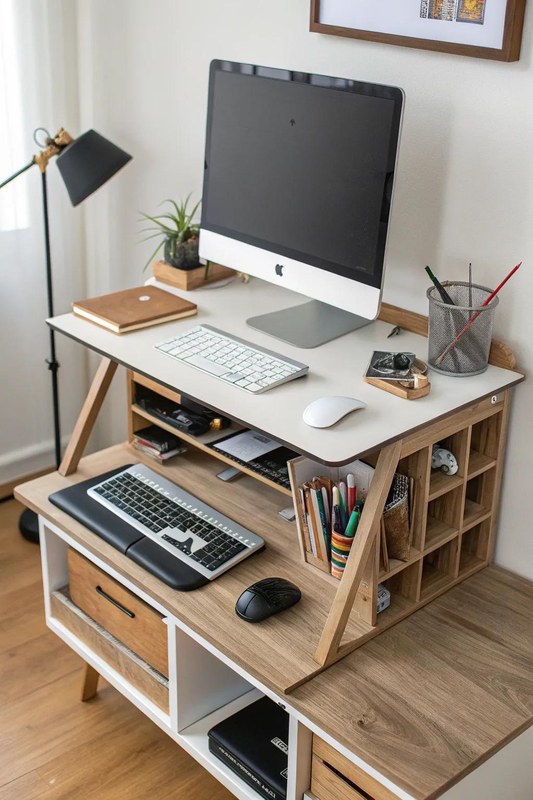
A storage standing desk fits neatly in a small room corner.
Small bedrooms, box rooms, alcoves, and open-plan living spaces
In a small bedroom or box room, a standing desk with storage should behave like built-in furniture even if it is freestanding. Alcoves are especially useful because they visually contain the desk and make wall shelves feel intentional. In open-plan spaces, the desk often needs to look more like a sideboard or console when not in use, which favors closed storage and restrained styling.
If you are furnishing a very compact space, this guide to the best small writing desk with storage can help you compare slimmer footprints and storage-first layouts before adapting them to standing use.
Clearance for standing, stool use, drawers, and door swings
Floor clearance is easy to underestimate. You need room not just to stand at the desk, but to step back, use a stool, open drawers fully, and move around nearby furniture. A desk can technically fit on paper and still feel awkward in real life if a wardrobe door collides with the stool or a drawer blocks the walkway.
Side storage is often easier to live with than central drawers because it preserves a clean standing zone. If the room is narrow, consider push-latch doors instead of wide drawer fronts so the storage opens into less space.
Lighting, outlet access, and background styling for video calls
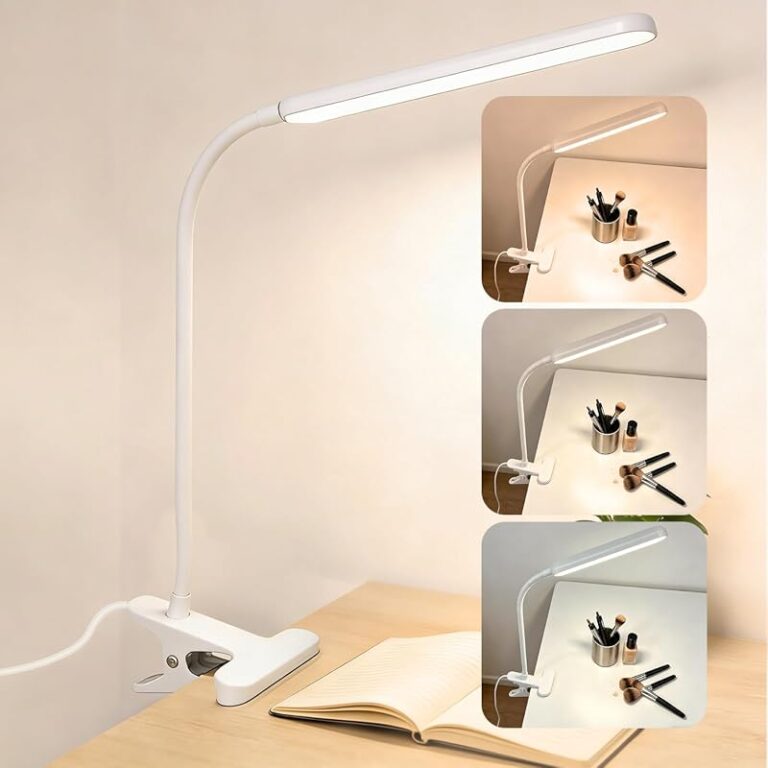
Natural light is helpful, but monitor glare is not. Position the desk so windows support the room without reflecting directly into the screen. Task lighting should brighten the work surface without creating a spotlight effect on video calls.
Outlet access matters more with standing desks because cable runs can be longer and more visible. If the desk backs onto a wall, plan whether plugs will sit behind a cabinet, under the top, or inside a ventilated cable box. For video calls, the background should look deliberate but not busy: a lamp, framed art, a shelf, or a plant is usually enough.
In an open-plan room, pair a wood-and-metal standing desk with one closed side cabinet, one framed print, and a soft table lamp so the setup reads as decor, not spare office equipment.
Storage Layout Ideas That Keep the Desk Functional and Visually Calm
Under-desk drawers vs side cabinets vs wall-mounted shelving
Under-desk drawers are best when they are slim and centered away from knee space, or placed off to one side. They keep essentials close, but too many can make the desk feel bulky. Side cabinets offer more volume and are easier to integrate with a larger top, especially if you are creating a built-in look.
Wall-mounted shelving is ideal when floor space is limited, but it works best for lighter, less-frequently used items or decor-led storage. A mixed system often performs best: one shallow drawer for daily tools, one side cabinet for bulk storage, and one shelf above for books or visual balance.
Open storage for styling, closed storage for clutter control
Open storage can be beautiful, but it asks you to edit constantly. Closed storage is more forgiving and usually better for cords, paperwork, and mixed-use supplies. If you want the desk to feel calm, keep open storage for a small number of attractive, consistent items such as books, matching boxes, or a ceramic tray.
For readers managing creative tools alongside office work, Hurrell Editions also covers how to organize a desk for an artist, with useful ideas for separating active materials from visual clutter.
How to zone paperwork, tech, stationery, and decorative objects
Zoning makes shared or multi-purpose desks much easier to maintain. Paperwork should live closest to where it is processed, whether that is a file drawer, vertical sorter, or shelf box. Tech accessories need a dedicated home near power, ideally with enough airflow for chargers and hubs.
Stationery belongs in shallow compartments so you can see it all at once. Decorative objects should be limited and placed where they do not interrupt workflow, such as on a shelf return, cabinet top, or one corner of the desk. The goal is not to remove personality, but to stop decor from competing with the task area.
- Keep the center work zone clear and store bulkier items to the side.
- Use trays, drawer dividers, or matching boxes to define categories.
- Reserve open shelves for items you are happy to see every day.
- Filling every shelf before you know how the desk functions.
- Using deep drawers for tiny items without organizers.
- Letting chargers and hubs float loose across the surface.
Benefits, Trade-Offs, and Common Mistakes to Avoid
Why integrated storage can improve workflow in a home office
When storage is built into the desk plan, it reduces setup friction. Pens, documents, chargers, and notebooks have a clear home, which makes it easier to reset the desk at the end of the day. In smaller homes, integrated storage also helps the office blend into the room rather than spreading into nearby surfaces.
Where standing desks with storage fall short: bulk, cost, and flexibility
The downside is that storage adds mass, complexity, and visual weight. Adjustable desks with integrated storage can become expensive, and DIY builds can become overcomplicated if you try to solve every storage need in one unit. A simpler desk plus a nearby cabinet is often more flexible than a single oversized piece.
There is also a future-proofing issue: work habits change. If your setup may need a second monitor, a different chair, or a new room later, fixed built-in storage can be limiting.
Mistakes like overloading one side, blocking knee space, and ignoring cable routes
The most common mistake is treating storage capacity as the main goal. A standing desk should still feel easy to stand at, sit at, and move around. Overloading one side can affect balance, especially on adjustable frames. Deep center drawers can block your knees. Rear cubbies can interfere with monitor arms and cable drops.
Another mistake is choosing shelving and accessories before confirming the desk’s actual working height and depth. Form should follow function here, not the other way around.
- Combines active workspace and organization in one footprint.
- Can reduce visible clutter in shared rooms.
- Works well for creative and administrative hybrid setups.
- Can become bulky or heavy fast.
- May limit legroom on poorly planned builds.
- Often less adaptable than a desk plus separate storage.
Styling a Standing Desk With Storage for Hurrell Editions Readers
Matching the desk to existing decor: modern, warm minimal, industrial, or classic
A standing desk with storage looks best when it belongs to the room instead of fighting it. For modern interiors, choose clean lines, flat-front storage, and restrained hardware. Warm minimal spaces suit pale woods, soft neutrals, and a small number of tactile accents. Industrial rooms can carry black metal, darker woods, and visible structure more easily. Classic interiors usually benefit from paneled drawers, brass-toned hardware, or richer timber finishes.
Layering task lighting, artwork, books, and desk accessories without visual noise
The easiest way to avoid visual noise is to vary height but limit quantity. One task lamp, one framed artwork piece, a short stack of books, and one tray or pen pot is often enough. If the desk already has visible storage, keep accessories quieter so the whole arrangement does not feel overdesigned.
Artwork above the desk should support the mood of the room without making the setup feel cramped. A single larger piece or a narrow ledge can be calmer than several small frames.
Colour, texture, and material pairings that make the setup feel intentional
Intentional pairings usually come from repetition. If the desk has black metal legs, repeat black in the lamp base or frame. If the desktop is oak, echo that warmth in shelving, picture frames, or a stool seat. Add texture through linen shades, woven storage boxes, cork accessories, or matte ceramics rather than through too many colors.
For the most polished result, keep the palette to two main materials and one accent finish. That restraint helps even storage-heavy desks feel edited.
Care, Maintenance, Value, and the Smartest Final Recommendation
Cleaning wood, laminate, powder-coated metal, and hardware safely
Always follow the care instructions provided by the manufacturer or finish supplier when available. In general, wood and veneer do best with a soft dry or slightly damp cloth, while laminate is usually easier to wipe clean. Powder-coated metal should be cleaned gently without abrasive pads that can dull the finish.
Drawer hardware benefits from occasional tightening and dust removal, especially in high-use home offices. Spills should be cleaned quickly, and coasters or desk pads can help protect more delicate finishes.
When a DIY build offers better value than a ready-made model
A DIY route often offers better value when you need unusual dimensions, want to match existing furniture, or already have part of the setup such as a frame, top, or side cabinet. It can also be the better choice if you want storage placed very specifically around your own workflow.
A ready-made model usually makes more sense when you need guaranteed compatibility between the lifting mechanism and desktop, or when you want warranty-backed components and faster setup. Before buying, confirm current dimensions, materials, load guidance, and warranty terms on the official product listing, since these can vary by model and retailer.
The most practical standing desk with storage setup for 2026 homes
The most practical setup for most homes is not a giant all-in-one workstation. It is a medium-size standing desk with an open center, a durable top, one shallow drawer or slim under-desk organizer, and one separate side cabinet or nearby shelving unit for bulk storage. That combination protects movement, keeps the surface usable, and adapts more easily if your room or work style changes.
Who should choose this solution, and when a simpler desk is the better option
Choose a standing desk with storage if you work from home regularly, need a cleaner reset at the end of the day, and want office essentials contained within one zone. It is especially helpful in shared rooms, creative spaces, and compact homes where visual order matters.
If you mainly use a laptop, rarely store paperwork, or move your desk often, a simpler standing desk may be the better option. In that case, add one mobile drawer unit or wall shelf only if a real storage problem appears.
The smartest choice for most readers is a sit-stand desk with a clear central leg area, a sturdy wood or plywood top, and storage placed to the side rather than directly underneath. It balances ergonomics, visual calm, and flexibility better than bulky integrated drawer banks, with the main limitation being slightly less all-in-one convenience.
Frequently Asked Questions