4 Best Digital Photo Frame with Remote Control for Artful Homes

Digital photo frames have moved beyond novelty and into everyday decorating. For artful homes, the best models do more than show snapshots: they help you rotate family photos, display digital art, and keep a room feeling current without changing the wall layout.
This roundup focuses on a digital photo frame with remote control for shoppers who want easier day-to-day use, especially in living rooms, bedrooms, offices, and senior-friendly spaces. It also keeps the editorial lens on picture frames and art display, so you can compare screen size, remote operation, and visual style with a decorator’s eye.
If you want a digital photo frame with remote control that fits artful home display, the Pix-Star LUX stands out for its remote access, no-glare screen, and large cloud-storage approach. For a bigger wall-friendly format, the Uhale 21.5-inch frame is the most display-forward option, while the 10.1-inch Kodak and 10.1-inch motion-sensor frame are better for smaller rooms or simpler setups.
Quick Product Comparison
| Product | Image | Best For | Today’s Price |
|---|---|---|---|
| 1. Kodak 10.1-Inch Digital Picture Frame |  |
Simple tabletop gifting and smaller rooms | See Price → |
| 2. Uhale 21.5-Inch Digital Picture Frame | 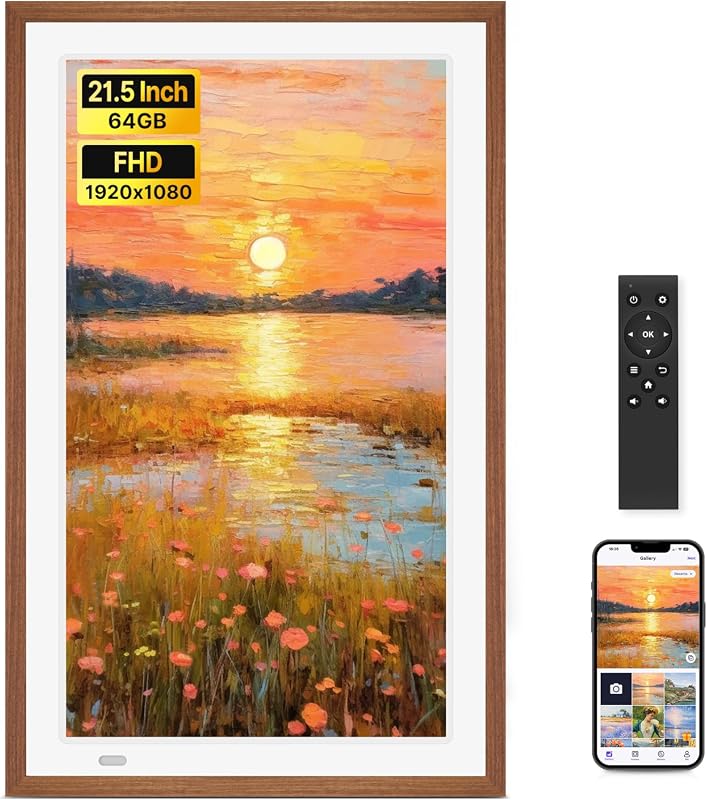 |
Large wall or desktop display with remote control | See Price → |
| 3. 10.1-Inch Digital Picture Frame | 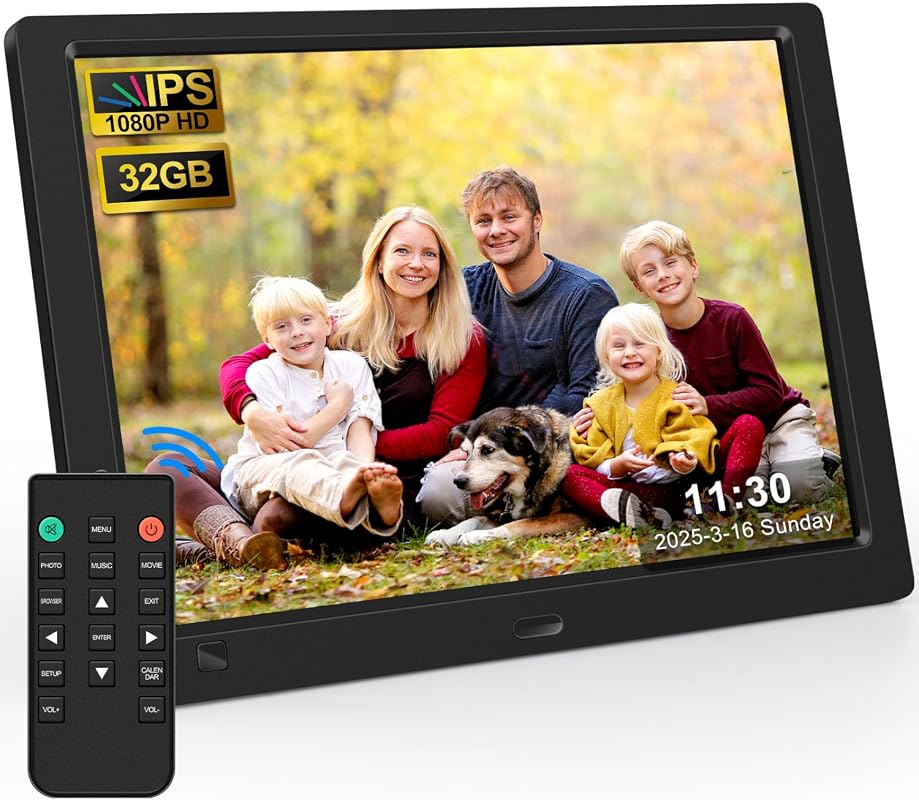 |
Value-focused everyday display with energy-saving features | See Price → |
| 4. Pix-Star LUX 10.4-Inch Digital Frame | 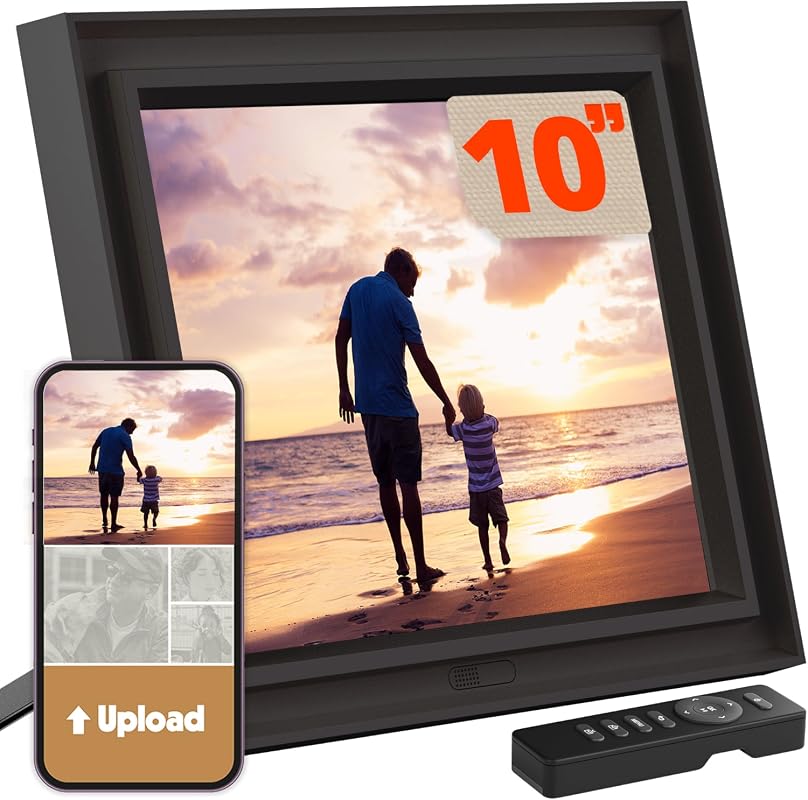 |
Remote management, cloud sharing, and family use | See Price → |
What to Look for in a digital photo frame with remote control
Screen size and viewing distance
For a shelf or side table, a 10.1-inch frame is usually easier to place without dominating the room. Larger displays, like the 21.5-inch Uhale, read more like a small digital art panel and can feel more intentional in open living spaces.
Remote control and everyday ease
A remote matters when the frame sits higher on a wall, across the room, or in a spot where you do not want to touch the screen constantly. It is also helpful for households that want simpler navigation for older adults or guests.
Display quality and glare control
Look for IPS screens and wide viewing angles if the frame will be seen from a sofa, hallway, or dining area. If the room has strong daylight, a no-glare screen can help photos and digital artwork stay readable without fighting reflections.
Sharing options and storage
Some frames rely on app-based sharing, while others also support USB drives, SD cards, email, or cloud services. The right choice depends on whether you want quick family uploads, offline flexibility, or easier backup options.
Placement and mounting style
Tabletop stands suit casual picture-frame styling, while wall-mount support makes a frame work more like framed art. If you plan to hang one, verify wall type, mounting hardware, and placement before buying.
Extra features that affect daily use
Motion sensors, auto-rotation, sleep mode, slideshow controls, and brightness settings can all change how polished the frame feels in a real room. These features are especially useful when the frame is part of a gallery-wall-inspired layout or a rotating art display.
If you want the frame to read as decor rather than tech, match the screen size to nearby picture frames and keep the photo mix consistent in tone. For a more gallery-like effect, choose images with similar color temperature and crop style so the display feels curated instead of random.
Our Top 4 Digital Photo Frame With Remote Control Picks and Reviews
1. Kodak 10.1-Inch WiFi Digital Picture Frame, 1280×800 HD IPS Touch Screen, 32GB Storage, Instant Photo and Video Sharing
The Kodak 10.1-inch frame is a practical choice for home display when you want a compact screen, touch controls, and wireless sharing in one frame-like format.
Key Features That Stand Out
- 10.1-inch HD IPS touch display with a 180° viewing angle, which helps photos stay visible from across a room.
- 32GB internal memory plus micro SD and USB drive support, giving you several ways to manage photo libraries.
- Wireless photo sharing through the KODAK APP for iOS and Android, useful for sending images from different locations.
- Auto-rotation and adjustable brightness, which help the frame adapt to portrait or landscape display.
- Weather, time, slideshow, and sound options for households that want a more customizable display.
Why It Stands Out
This model sits in a comfortable middle ground for picture-frame styling: large enough to feel like a dedicated display, but compact enough for shelves, consoles, and bedside tables. The touch screen and app sharing make it approachable for everyday use, while the 32GB storage and auto-rotation add flexibility.
Best For
Shoppers who want a compact digital frame for a living room, bedroom, or gifting setup where simple sharing and straightforward controls matter.
Pros and Cons
- Touchscreen control makes on-device adjustments easier.
- Multiple transfer options support both app and offline file management.
- Auto-rotation helps with mixed photo orientations.
- Only one scraped rating and review count are available, so shoppers may want to check the live listing for current feedback.
- The supplied facts do not mention a remote control, so verify whether one is included on the product page if that feature is essential.
2. Uhale 21.5-Inch WiFi Digital Picture Frame, 1920×1080 FHD IPS Wood Frame, 64GB, Wall Mount
The Uhale 21.5-inch frame is the most display-forward option here, with a wood frame look, wall-mount support, and remote control for easier room-based viewing.
Key Features That Stand Out
- 21.5-inch IPS FHD screen with 1920 x 1080 resolution and a 178° viewing angle for larger, clearer wall or tabletop display.
- Remote control included, which is especially useful when the frame is mounted or placed farther away.
- 64GB built-in memory and support for USB flash drives and SD cards, giving you room for a large photo library.
- Wi-Fi support on both 2.4GHz and 5GHz networks through the Uhale app for iOS and Android.
- Desktop stand and wall-mount options, plus slideshow, brightness, sound, and sleep settings.
Why It Stands Out
This is the strongest pick if you want the frame to function more like a digital art display than a small tabletop gadget. The larger screen size and wood-frame styling make it easier to integrate into a living room, hallway, or family room where a more substantial visual presence matters.
Best For
Homes that want a larger remote-controlled frame for wall display, family sharing, or a more gallery-like presentation in a main room.
Pros and Cons
- Large screen makes photos and art more prominent.
- Remote control supports easier operation at a distance.
- Wall-mount and desktop placement add flexibility.
- Larger size may overwhelm smaller shelves or narrow consoles.
- The product notes mention FAT32 formatting and compatibility guidance, so verify your storage device before setup.
3. 10.1-Inch Digital Picture Frame with 32GB USB, 1920×1080 HD IPS Screen, Motion Sensor, Remote Control
This 10.1-inch frame focuses on useful display features, including a 1080p IPS panel, motion sensor, and remote control, while staying compact for everyday rooms.
Key Features That Stand Out
- 1920 x 1080 IPS screen with a 180° viewing angle for sharper photo and art display.
- Remote control included, which adds convenience for shelf or wall-adjacent placement.
- 32GB USB flash drive included, with support for photos plus video, music, calendar, and alarm functions.
- Motion sensor and timing on/off options help save energy and reduce manual operation.
- Simple menu and no app requirement, which may suit users who prefer a direct setup.
Why It Stands Out
For shoppers who want the core benefits of a remote-ready digital frame without moving into a larger or more elaborate category, this model offers a balanced feature set. The motion sensor and built-in playback options make it feel practical for a family room, office, or bedside display.
Best For
Buyers who want a straightforward, compact frame with remote control and motion-based power management for everyday home use.
Pros and Cons
- Remote control and motion sensor improve daily convenience.
- Includes a 32GB USB flash drive for immediate setup.
- No app registration is required, simplifying use.
- The supplied facts do not mention Wi-Fi sharing, so verify whether that matters for your workflow.
- Best suited to smaller display areas rather than large wall features.
4. Pix-Star LUX 10.4-Inch Wi-Fi Digital Picture Frame, Unlimited Cloud Storage, Easy App Sharing, No-Glare Display
Pix-Star LUX is the most feature-rich remote-friendly frame in this group, with unlimited cloud storage, no-glare viewing, and multiple ways to send photos from anywhere.
Key Features That Stand Out
- Unlimited cloud storage with free lifetime backup, which is useful for building a long-term family photo library.
- Included remote control and remote management support for up to 25 frames.
- 10.4-inch 4:3 IPS no-glare display that helps preserve original photo composition.
- Wi-Fi 6, dual-band 2.4/5GHz support, and 16GB internal storage for faster transfers and smoother navigation.
- Multiple sharing paths, including app, email, Google Photos, Dropbox, OneDrive, Flickr, USB, and SD card.
Why It Stands Out
This model is the most flexible choice for households that want a frame to function as a shared visual hub. The no-glare screen, remote access, and broad sharing support make it especially appealing for rooms where the frame will stay visible for long periods and be managed by more than one person.
Best For
Families, caregivers, and households that want a polished digital frame for remote sharing, easy control, and long-term photo organization.
Pros and Cons
- Unlimited cloud storage is a strong long-term value feature.
- No-glare display supports clearer viewing in brighter rooms.
- Remote control and remote management simplify use across multiple frames.
- The 4:3 screen shape may not suit every wide-format image without some composition tradeoff.
- Shoppers should confirm whether the included remote matches their preferred control style before purchase.
If you plan to wall-mount a digital frame, verify the mounting hardware, wall type, and cable path on the current product page before placing an order. For tabletop use, check the stand angle and nearby outlet access so the frame sits securely and the power cord stays unobtrusive.
Complete Buying Guide for Digital Photo Frame With Remote Control
For room and style fit, think about how the frame will read next to your existing decor. A compact frame works well beside acrylic block photo frames or on a console with other picture frames, while a larger digital display can anchor a wall the way a small print would.
Compatibility matters as much as appearance. Check whether you want Wi-Fi sharing, app support, USB or SD card playback, or cloud services. If you often rotate images from family members, a frame with easy remote sharing is usually more convenient than one that depends on manual transfers.
For visual balance, compare the frame’s screen ratio to the kinds of images you plan to show. A 4:3 screen may preserve certain compositions more naturally, while a wider display can feel better for mixed photo libraries and room-filling presentation. If you are also building a layered wall display, our gallery wall frame set with mat guide and gallery wall frame set roundup can help you coordinate a digital frame with printed art nearby.
- Match the frame size to the room so it feels intentional, not oversized or lost.
- Verify whether the remote is included and how it works before you buy.
- Check Wi-Fi bands, storage options, and app compatibility if you plan to share photos often.
- Do not assume every model includes the same control method or sharing app.
- Do not overlook wall-mount or stand requirements if the frame will be placed in a specific spot.
- Do not ignore screen ratio if you care about how art and portraits will be cropped.
- Group the frame with a few printed pieces so it feels like part of the room’s picture-frame story.
- Keep the display content visually consistent if you want a calmer, more gallery-like effect.
- Use brightness and sleep settings to make the frame feel more natural in morning and evening light.
- Wipe the screen gently with a dry, soft cloth and follow the manufacturer’s care guidance for any finish or bezel details.
- Kodak 10.1-Inch: compact, touch-friendly, and easy to place in smaller rooms.
- Uhale 21.5-Inch: best for a larger wall-ready display with remote control.
- 10.1-Inch Motion Sensor Frame: best value for simple, energy-aware everyday use.
- Pix-Star LUX: strongest option for cloud storage, no-glare viewing, and remote management.
- Remember to verify remote inclusion, wall-mount needs, and sharing compatibility before checkout.
- Match the frame’s screen size and ratio to the room so it complements your picture-frame layout.
Frequently Asked Questions About Digital Photo Frame With Remote Control
A remote lets you change settings without touching the screen, which is helpful when the frame is mounted or placed across the room. It can also make the frame more approachable for older adults or guests.
Usually, yes, if you want the frame to act like a visual focal point. Larger screens are easier to read from across a room and can feel closer to a small digital art panel than a tabletop accessory.
Wi-Fi is better if you want family members to send photos from different locations. USB and SD card support are useful if you prefer offline transfers or want a simple backup option.
No. Screen ratio affects how portraits, landscapes, and artwork appear, so it is worth checking whether the frame preserves your preferred composition. A 4:3 display may suit some images better than a wider layout.
Living rooms, bedrooms, hallways, and home offices all work well, depending on the size of the frame. The best placement is where the screen can be seen comfortably without competing with other decor.
Check the mounting hardware, wall type, and whether the frame is designed for wall use. You should also confirm power access and make sure the display size fits the wall space you have in mind.
The strongest all-around pick here is the Pix-Star LUX if you want remote-friendly control, flexible sharing, and a more polished display experience. The Uhale 21.5-inch frame is the better choice when the frame needs to read like wall art or a statement display.
If you prefer a smaller footprint, the Kodak and the 10.1-inch motion-sensor frame are easier to place in everyday rooms. For a balanced home-decor approach, choose the model that best fits your room scale, your photo-sharing habits, and how closely you want the frame to blend with your other picture frames.
This roundup is based on the supplied product titles, feature bullets, scraped ratings, review counts, prices, and product links, with an emphasis on display quality, remote-control convenience, sharing methods, storage, and room-friendly styling. Because no verified first-hand testing evidence was provided, the recommendations use evidence-based editorial language and avoid claims about personal use, measured performance, or unsupported durability. Availability and pricing can change, so confirm current details on the product page before purchasing.