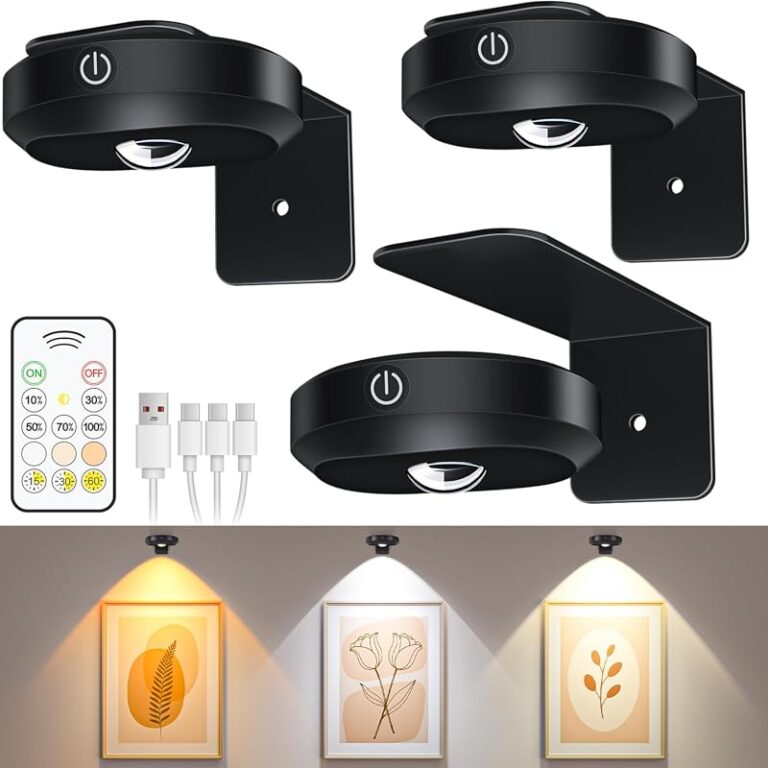
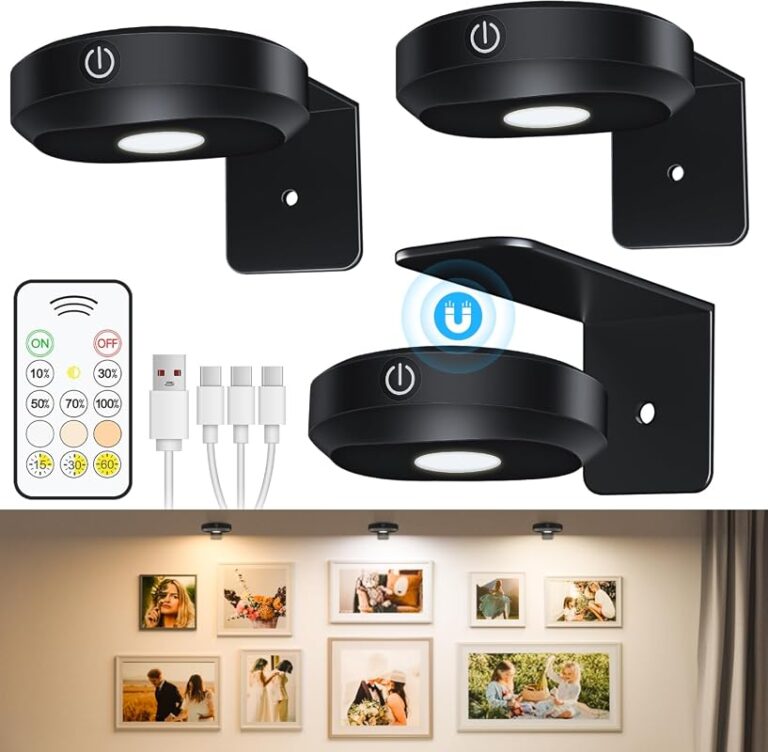
Battery Operated Picture Light Remote Not Working

If your battery picture light remote stops working, the most likely causes are weak batteries, lost pairing, blocked signal, or a timer setting. Test the light manually first, then replace batteries, reset both units, and verify remote compatibility before buying a replacement.
Battery operated picture light remote not working usually comes down to a short list of issues: weak batteries, lost pairing, blocked signal, or a timer setting that makes the light seem unresponsive. Before replacing anything, it helps to check the simple causes in the right order so you can tell whether the problem is in the remote, the light, or the way the two communicate.
- Start simple: Replace batteries in both the remote and the light before assuming failure.
- Manual test matters: If the light works from its own button, the remote or pairing is the.
- Remote type counts: Infrared, RF, and Bluetooth systems behave differently and are rarely interchangeable.
- Placement affects performance: Distance, obstructions, and reflective glazing can make a working remote seem unreliable.
- Upgrade wisely: Replace the whole fixture when output, build quality, or compatibility problems keep returning.
Why a Battery Operated Picture Light Remote Stops Working: The Fast Answer
Most remote failures are not dramatic hardware failures. In many cases, the light still works from its onboard button, but the remote stops controlling brightness, power, or timer functions. That points to a communication issue rather than a completely dead fixture.
Most common causes: dead batteries, pairing loss, blocked signal, and timer or dimmer confusion
The most common cause is still the simplest one: low battery power in either the remote or the picture light. A remote may still flash or appear active even when its battery is too weak to send a reliable signal. Likewise, a light with fading batteries may turn on manually but fail to respond consistently to dimming or timer commands.
Another frequent issue is pairing loss. Some battery picture lights use a remote that must be synced to the fixture, especially if you have multiple lights from the same brand in one room. If the light has been reset, the batteries were removed for a while, or the manufacturer uses a memory function, that pairing can sometimes drop.
Signal blocking is also common. Infrared remotes need a reasonably clear path to the sensor, while RF and Bluetooth models are usually more forgiving but can still struggle with distance, interference, or weak power. Decorative placement can make this worse if the light is mounted high, tucked behind a thick frame molding, or angled in a way that hides the receiver.
Then there is plain control confusion. A light may be set to an auto-off timer, locked to a previous brightness memory, or operating in a dim level so low that it looks off during daytime. If you are already comparing models, Hurrell Editions has a broader guide on whether battery operated picture lights work and where their limits tend to show up.
When the issue is the remote versus the light itself
A quick way to narrow the problem is to test the light without the remote. If the fixture turns on from its built-in switch or touch control, the light itself probably has power. If it does not respond either way, the problem is more likely the light’s batteries, contacts, or internal electronics.
If the remote controls some functions but not others, the issue may be software-like rather than mechanical. For example, a power button may work while dimming does not, or the timer may engage but brightness changes fail. That often suggests pairing drift, command overlap, or a model-specific control quirk rather than a completely broken remote.
How to Troubleshoot a Battery Operated Picture Light Remote in the Right Order
The best troubleshooting sequence starts with the lowest-effort checks and moves toward resets and replacement. That saves time and reduces the chance of misdiagnosing a minor battery issue as a failed light.
Check battery orientation, charge level, and battery contact points
Start by opening both battery compartments: the one in the remote and the one in the light. Confirm the batteries are inserted in the correct direction, because one reversed cell can make the entire unit act dead. If the batteries are old, mixed, or unbranded, replace them with a fresh matching set rather than testing one battery at a time.
Next, inspect the metal contacts. Look for dust, white residue, greenish corrosion, or a spring contact that no longer presses firmly against the battery. Light corrosion can interrupt power even when the batteries themselves are fine.
Wipe away loose dust with a dry cloth or cotton swab. If there is visible corrosion, follow the manufacturer’s care guidance before cleaning further. If the contact points look bent, loose, or deeply corroded, replacement may make more sense than continued troubleshooting.
Reset the light and remote, then re-pair if your model allows it
Once fresh batteries are installed, remove power from both pieces for a brief reset. That usually means taking the batteries out of the remote and the light, waiting a short period, then reinstalling them. Some models also have a dedicated pairing sequence, often involving holding the power button or a timer button for several seconds.
This is where the owner’s manual matters. Battery picture lights vary widely in how they store settings and reconnect to remotes. If your model supports re-pairing, use the official instructions from the brand’s product listing or support page rather than guessing.
Replacement remotes are often model-specific. Even lights that look nearly identical may use different pairing methods, frequency ranges, or command layouts.
Test distance, line of sight, and interference from nearby electronics
After resetting, stand closer to the light and try again. If the remote works at short range but not across the room, the likely causes are weak batteries, infrared limitations, or environmental interference.
Infrared remotes need a direct or near-direct path to the sensor, so thick frame lips, deep shadow box edges, or decorative ledges can block the signal. RF remotes usually work through a less direct path, but performance still varies by wall materials, battery strength, and other devices nearby.
Try testing with TVs, soundbars, smart hubs, or bright direct sunlight out of the equation. In some rooms, glare and other electronics can make a marginal remote feel random. If you are still choosing a fixture, Hurrell Editions also covers how to choose a picture light for artwork, including control type and placement considerations.
Confirm the light is not locked into an auto-off timer or memory setting
Many battery picture lights include timer presets and brightness memory. Those features are useful, but they also create confusion when the light appears to ignore commands. A timer may shut the light off at the same time every evening, or a saved dim setting may make the fixture look inactive in daylight.
Cycle through the remote’s timer and brightness buttons deliberately. If the light has onboard controls, use them to return the fixture to a default brightness before trying the remote again. This can clear up situations where the remote is technically working, but the selected mode is misleading.
Use fresh, matching batteries in the remote and the light before assuming a hardware failure.
If the light works from its own switch, the fixture likely has power and the issue is remote-related.
Follow the model’s official instructions if pairing or memory settings are involved.
Move closer and remove possible obstructions before replacing parts.
What to Look For Before Replacing the Remote or the Entire Picture Light
If troubleshooting does not solve the problem, replacement becomes a buying decision rather than a repair decision. The right choice depends on the control system, battery setup, lighting quality, and how permanent you want the installation to feel.
Remote type: infrared, RF, Bluetooth, or brand-specific control systems
Not all remotes work the same way. Infrared is usually the most basic and often the most sensitive to aiming and obstructions. RF can be easier in everyday use because it tends to work without perfect alignment. Bluetooth and app-based systems can offer more control, but they may add setup complexity and depend on software support.
Brand-specific systems can be convenient when they are reliable, but they can also make replacement harder. Before buying a new remote, verify that the manufacturer sells one for your exact model number and finish variation if relevant.
Power source, runtime, and whether rechargeable or replaceable batteries make more sense
Battery picture lights typically use either replaceable cells or a built-in rechargeable battery. Replaceable batteries are straightforward and convenient for occasional use, especially in rentals or low-traffic spaces. Rechargeable models can be more economical over time, but only if charging access is realistic once the light is mounted.
Runtime varies widely by brightness level, timer use, and battery type. Manufacturer estimates are useful, but they often assume moderate settings rather than maximum brightness every night. Always confirm current specifications before buying.
Brightness, dimming range, and color temperature for art lighting
A remote problem is frustrating, but it is also a good moment to ask whether the light itself is actually right for the artwork. A fixture that is too dim will never feel satisfying, while one that is too bright can create glare, flatten texture, or overpower a small frame.
For most homes, warm-to-neutral light tends to flatter art better than very cool light. Paintings, prints, and family photography usually look more natural under a gentle warm white or soft neutral tone than under a blue-leaning LED. Dimming range matters too, because evening ambiance and daytime visibility are not the same thing.
Build quality, finish, and mounting design for framed art and gallery walls
Look closely at the mounting method before replacing the fixture. Some battery picture lights are designed for quick decorative use, while others are built to look more integrated above framed art. The finish should also work with the room and the frame rather than competing with it.
Brass, bronze, matte black, and painted finishes each create a different effect. If your artwork sits among wood frames, the light should feel intentional with the surrounding materials. For example, a warm metallic finish may suit traditional art and darker wood, while a cleaner black fixture can feel sharper against modern arrangements or acrylic frames.
- Confirm the exact remote compatibility and pairing method.
- Check whether the light uses replaceable or rechargeable batteries.
- Review brightness, dimming, and color temperature details on the official listing.
- Make sure the mounting style suits your wall type and frame arrangement.
Picture Light Placement Basics: Getting Better Results Once Control Is Restored
Once the remote works again, placement matters just as much as electronics. A well-positioned battery picture light can make art feel finished; a poorly placed one can create hot spots, glare, and uneven coverage.
How high above the frame to mount the light
Most picture lights look best mounted a short distance above the top edge of the frame, high enough to spread light but low enough to remain visually tied to the artwork. The exact distance varies by fixture depth, arm design, and beam angle. Oversized art often needs slightly more breathing room than a small frame does.
If the light sits too high, illumination can spill upward onto the wall. Too low, and you may get a narrow bright band across the top of the art instead of even coverage.
Choosing the right width and beam spread for small, medium, and oversized artwork
A common mistake is choosing a fixture by appearance alone. Width and beam spread should relate to the artwork, not just the wall. A tiny light over a wide frame leaves the edges underlit, while an overly broad fixture can look clumsy above a modest print.
As a visual rule, many decorators prefer a picture light that is somewhat narrower than the frame width, though the ideal proportion depends on beam design and how much glow you want around the art. For gallery walls, one light over each key piece often looks better than one oversized fixture trying to cover everything.
Brightness and warm-to-neutral color temperature for paintings, prints, and photography
Different art types respond differently to light. Textured paintings often benefit from controlled, soft illumination that reveals surface character without harsh shine. Glazed prints and photography need extra care because reflective surfaces can bounce light back at eye level.
If framed art has reflective glazing, test the light angle and dimmer setting in the evening as well as daytime. A setup that looks balanced at noon can produce distracting glare after dark.
Warm-to-neutral LEDs usually feel more comfortable in living spaces and can help art read as richer and less clinical. Very cool light may be useful in some task-oriented settings, but it often feels stark on decorative walls.
Safety basics for battery compartments, heat, and secure wall mounting
Even lightweight battery fixtures need secure mounting. Always check the wall type, the hardware included, and the weight of the light before installing it above artwork. If the wall material is uncertain or the fixture feels heavy for the supplied hardware, consult a qualified installer.
Do not force battery doors, over-tighten mounting screws, or improvise anchors above valuable artwork. Check manufacturer instructions, wall limits, and professional help when the setup is unclear.
Battery picture lights generally run cooler than many older lighting types, but they still should not be crammed tightly against delicate frame finishes or soft wall coverings without enough clearance.
Which Rooms and Decorating Styles Suit Battery Operated Picture Lights Best
Battery picture lights are especially appealing where hardwiring is impractical or undesirable. They bring a finished, custom look to spaces that need flexibility more than permanent electrical work.
Living rooms, hallways, studies, bedrooms, and rental spaces
Living rooms and studies are natural fits because art is often a focal point there, especially in the evening. Hallways benefit too, since a picture light can add depth and rhythm without opening walls for wiring. Bedrooms can work well when the goal is soft ambiance rather than high-output illumination.
Renters often prefer battery models because they offer visual impact with less commitment. If your broader search includes more flexible decorative lighting ideas, Hurrell Editions’ Battery Operated Lights category is a useful next stop.
Matching brass, bronze, black, or painted finishes to existing decor
Finish matters more than many shoppers expect. Brass can feel classic, warm, and slightly formal. Bronze often suits traditional, moody, or layered interiors. Matte black can feel crisp and architectural, especially with modern frames, monochrome photography, or more minimal gallery walls.
Painted finishes can be helpful when you want the light to visually recede. In that case, matching the wall or trim color can be more effective than matching the frame exactly.
When battery lights work better than hardwired picture lighting
Battery lights often make more sense when you want easy installation, seasonal flexibility, or a low-commitment styling update. They are also practical when the artwork location may change, such as on a picture ledge or a rearranged gallery wall.
Hardwired lighting still has advantages for high-use display walls, larger art, and households that want stronger output without ongoing battery management. But for many homes, battery models hit a useful middle ground between convenience and visual polish.
Common Mistakes That Cause Remote Problems or Disappointing Art Lighting
Some issues start long before the remote stops responding. A disappointing result often comes from choosing the wrong fixture, placing it poorly, or assuming all accessories are interchangeable.
Buying the wrong light size for the frame or gallery arrangement
A remote can function perfectly and still leave you unhappy if the light is undersized or oversized. Coverage problems are especially obvious on wide art, stacked frames, or salon-style gallery walls where one fixture cannot distribute light evenly.
Ignoring wall type, hanging hardware, and the weight of the fixture above artwork
Lightweight does not mean risk-free. Some walls need different anchors, and some decorative setups place the fixture in a spot where vibration or poor hardware can loosen it over time. Always verify what is included and whether it suits your wall surface.
Using overly cool light, too much brightness, or inconsistent spacing in a gallery wall
Art lighting should support the display, not overpower it. Very cool LEDs can make a room feel harsh, while too much brightness can wash out detail and create glare. In gallery walls, uneven spacing and mismatched fixture scale can make the entire arrangement feel accidental.
If your display includes layered shelves rather than fixed hanging, these same balance issues show up on ledges too. Hurrell Editions has separate guidance on picture ledge layout ideas if your art arrangement is still evolving.
Assuming all replacement remotes are universal
This is one of the most expensive assumptions in the category. Many replacement remotes are not universal, even when listings use broad language. Match the exact model, verify the control type, and confirm whether pairing is required before ordering.
- Check manual operation before blaming the remote.
- Verify compatibility from the official product listing.
- Choose light output and finish for the artwork, not just the trend.
- Assuming every remote works across similar-looking lights.
- Mounting high above reflective art without testing glare.
- Using random old batteries to diagnose a signal problem.
Care, Maintenance, and Long-Term Value
Battery picture lights are relatively low-maintenance, but a little routine care can prevent many remote and power issues. The goal is to keep the finish clean, the contacts healthy, and the batteries from becoming the weak link.
Cleaning finishes, preserving battery contacts, and preventing corrosion
Dust the fixture and remote regularly with a soft dry cloth. Avoid spraying cleaners directly onto the light, especially near seams, battery doors, or buttons. If the brand provides finish-specific care guidance, follow that rather than using metal polish or abrasive products.
Battery compartments deserve periodic checks, especially in lights used seasonally. Removing depleted batteries promptly helps reduce the risk of leakage and contact damage.
How often to replace batteries and when rechargeable models offer better value
There is no universal replacement schedule because usage patterns vary so much. A light used a few evenings a week at medium brightness will behave very differently from one left on nightly at full output. If performance becomes inconsistent, battery replacement is still the first maintenance step.
Rechargeable models can offer better long-term value when the light is used often and charging access is convenient. Replaceable-battery models can be simpler for occasional use, guest rooms, rentals, or art that is lit only for entertaining.
Signs it is time to upgrade instead of repair
If the remote repeatedly loses pairing, the battery door feels flimsy, the dimming range is poor, or the light output never really suits the artwork, replacement parts may not be the smartest use of time or money. The same is true when official replacement remotes are unavailable or the manufacturer support information is vague.
An upgrade can also make sense when your decor has changed. A better finish, stronger output, or more reliable control system may improve the room more than a like-for-like replacement would.
Final Recommendation: Repair, Replace the Remote, or Upgrade the Picture Light?
For most people, the best first move is repair-level troubleshooting: fresh batteries, contact inspection, a reset, and a careful check of timer or dimmer settings. If the light still works manually, replacing only the remote can be the most sensible path, but only when the exact model match is clearly confirmed by the manufacturer or retailer.
Best choice for occasional use, rental homes, and low-commitment styling
If the picture light is used occasionally and the fixture otherwise suits the room, a remote replacement is usually the most economical choice. This is especially true in rentals, hallways, guest rooms, or low-commitment decor setups where convenience matters more than premium performance.
When premium controls, stronger output, and better reliability justify an upgrade
If the remote system has always felt inconsistent, or if the light is too dim, too cool, or awkwardly mounted, upgrading the entire fixture may be the better long-term decision. More refined controls and better beam quality can make a visible difference, particularly over larger or more valuable artwork.
A transparent verdict on value, limitations, and what matters most before you buy
The most reliable buying strategy is not to chase the cheapest replacement remote first. Instead, confirm the control type, battery setup, mounting style, and lighting quality together. A battery picture light is worth keeping when the fixture still fits the art and the room; it is worth upgrading when reliability, output, or compatibility problems keep recurring.
Frequently Asked Questions