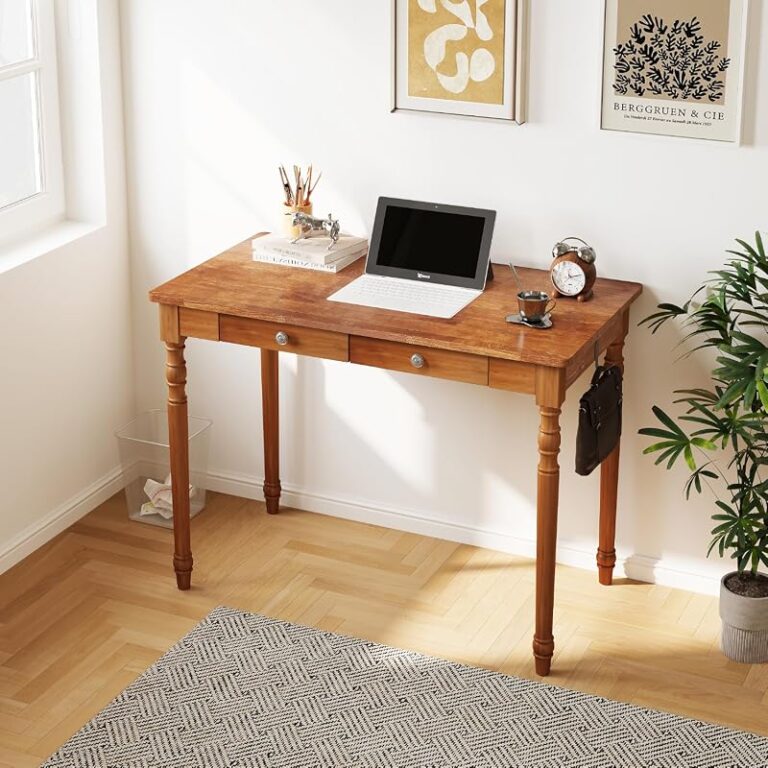
Stand Up Desk Setup Ideas for a Healthier Workspace

A stand up desk setup is healthiest when it supports both sitting and standing, fits your room, and keeps your screen and keyboard in ergonomic positions. Focus on adjustability, stability, and a clutter-free layout before adding extra accessories.
A stand up desk setup works best when it helps you change positions easily, keeps your screen and keyboard in ergonomic alignment, and fits the way you actually work at home. The healthiest version is rarely the most accessorized one; it is the one that supports movement, reduces strain, and stays practical in your room every day.
- Start with fit: Choose a desk that matches your height range, equipment load, and room size.
- Prioritize ergonomics: Screen height, keyboard position, and posture matter more than decorative add-ons.
- Plan by task: Laptop work, dual monitors, and creative projects each need different layouts.
- Keep it flexible: The goal is alternating positions, not standing for the whole day.
- Verify details: Confirm specs, warranty terms, and accessory compatibility before buying.
What Makes a Stand Up Desk Setup Healthier and Easier to Use
Why adjustability, posture support, and movement matter most
The biggest advantage of a sit-stand workspace is flexibility. Instead of locking you into one posture for hours, it lets you alternate between sitting and standing as your energy, tasks, and comfort levels change. That matters because even a well-designed chair cannot solve the problem of staying still too long.
Adjustability is the feature that makes this possible. A desk should move low enough for comfortable seated work and high enough for your standing height without forcing raised shoulders or bent wrists. If the desk range is too limited, the setup may look good on paper but still feel awkward in daily use.
Posture support also depends on everything around the desk. Your monitor height, keyboard position, mouse placement, floor support, and chair all affect whether standing feels natural or tiring. A healthy setup should encourage neutral wrists, relaxed shoulders, and a screen position that does not make you crane your neck.
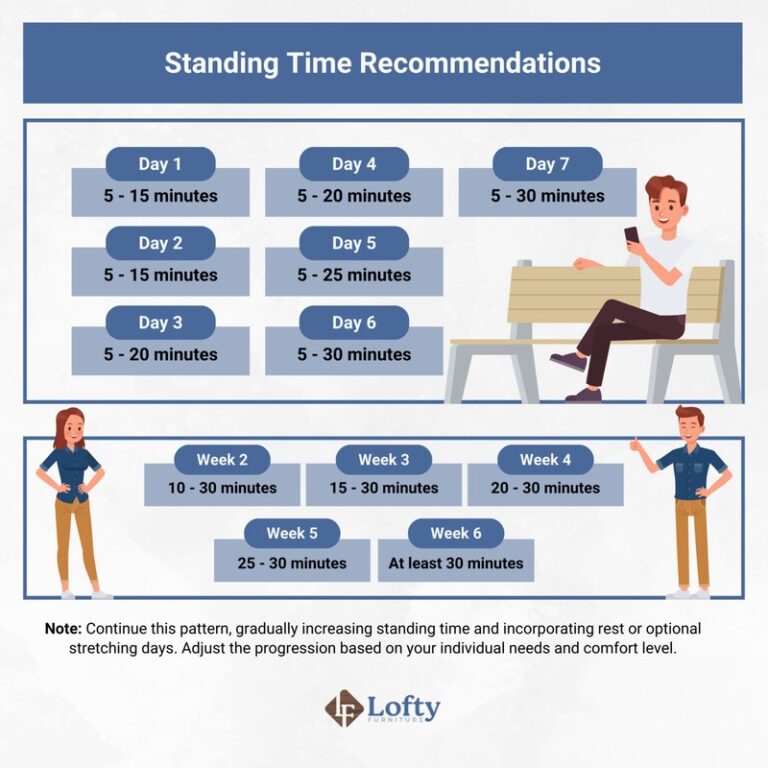
Movement matters just as much as alignment. Standing all day is not the goal. A better routine is to shift positions, take short breaks, and vary your tasks. Reading, calls, sketching, and typing do not all need the same stance, so your workspace should adapt with you.
The core elements every balanced stand up desk setup should include
A balanced setup starts with the desk itself, but it does not end there. You also need a supportive chair for seated hours, a monitor positioned at the right height, and enough surface space for your real workflow. If your desktop is too shallow or crowded, good ergonomics become difficult fast.
For many people, the core list includes an adjustable desk, display support, keyboard and mouse space, task lighting, and cable management. If you use an external monitor, a monitor arm often helps more than a stack of books because it gives you finer control over height and distance. If you work from a laptop alone, a laptop stand plus external keyboard and mouse usually creates a more comfortable arrangement than typing directly on the laptop all day.
Floor comfort matters too. An anti-fatigue mat can make standing sessions easier, especially on hard flooring, while a small footrest can help both sitting and standing by encouraging subtle shifts in weight. These additions are helpful, but they should solve a real comfort issue rather than simply fill the desk area with gear.
Storage is another overlooked piece. A cleaner work zone makes it easier to raise and lower the desk without snagging cables or knocking over accessories. If your room is tight, articles on the best small desk with storage or how to choose a desk with storage can help you balance function with footprint.
How to Plan the Right Stand Up Desk Setup for Your Room and Work Style
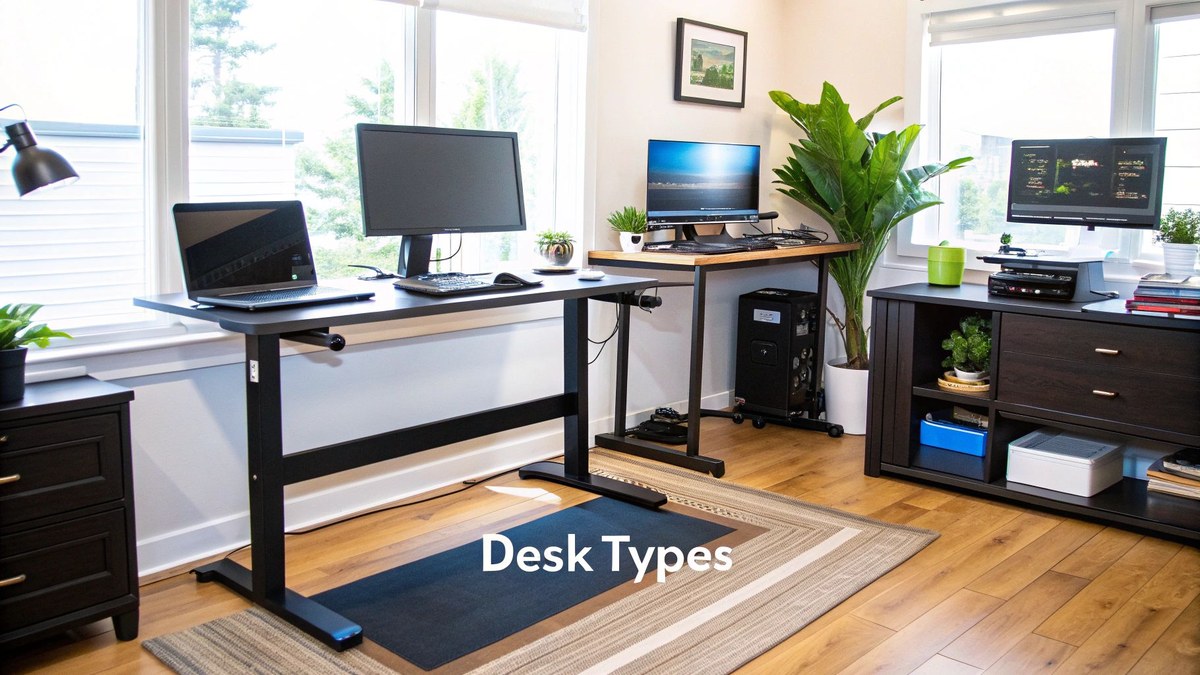
A stand up desk setup planned to fit room layout and daily work needs.
Best fits for small home offices, shared rooms, and dedicated studios
The right setup starts with the room, not the product listing. In a small home office or bedroom corner, every inch matters, so desk depth, walking clearance, and storage placement should come before decorative upgrades. A compact sit-stand desk can work well, but only if the chair still tucks in cleanly and the desk can rise without bumping shelves, window sills, or wall ledges.
Shared rooms need a quieter visual footprint. In a guest room, living area, or multipurpose nook, a stand up desk setup often looks better with concealed storage, slimmer legs, and a finish that blends with surrounding furniture. White, light oak, walnut, and matte black are common choices because they pair easily with home decor rather than reading as office equipment first.
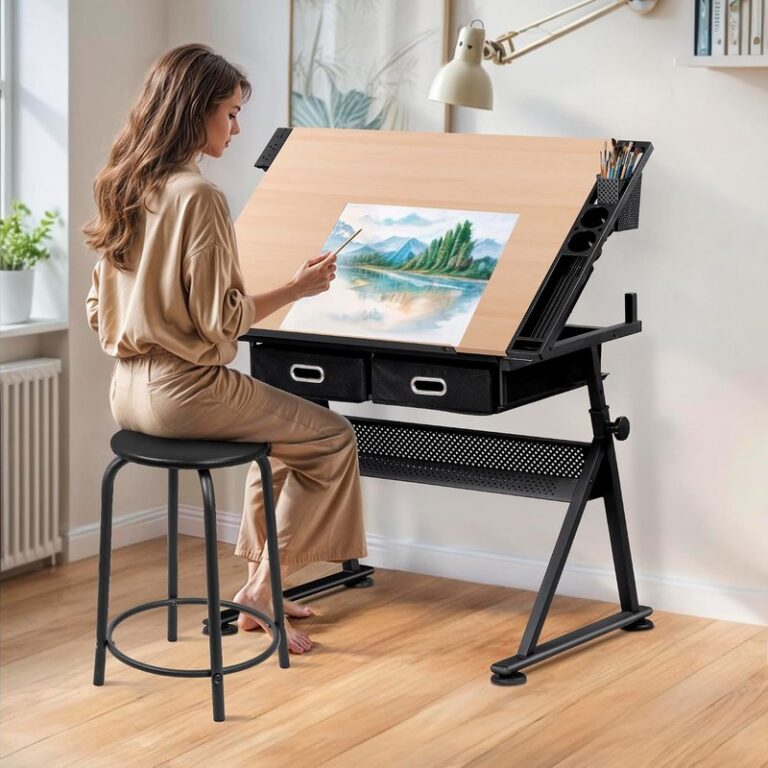
Dedicated studios allow more freedom. If your workspace is primarily for content creation, design work, or hands-on projects, you may want a wider top, deeper desktop, or L-shaped layout. Creative users often benefit from extra side space for sketchpads, tablets, tools, or lighting. If that sounds familiar, a guide to the best L shaped standing desk with storage can be useful for understanding larger-format options.
Choosing a layout based on laptop work, dual monitors, or creative tasks
Your layout should follow your main task. For laptop-focused work, a simple centered arrangement is usually enough: laptop on a riser, keyboard and mouse in front, and a notebook or small tray to one side. This keeps the surface open and avoids overbuilding the setup.
Dual-monitor users need more planning. The desk should be wide enough to center the primary screen and place the second monitor without twisting your neck all day. Monitor arms can help reclaim surface space, but the desktop still needs enough depth so the screens are not uncomfortably close to your eyes.
Creative tasks call for flexibility. If you alternate between typing, drawing, reviewing samples, or filming tabletop content, leave a clear zone that can change purpose quickly. In these setups, fewer fixed accessories can be a benefit because they preserve usable work area.
- Center the task you do most often, not the accessory you use least.
- Choose one side of the desk for active tools and the other for temporary items like notebooks or chargers.
- Keep at least part of the desktop visually open so the setup feels lighter in smaller rooms.
What to Look for When Choosing a Stand Up Desk and Key Accessories
Desk height range, weight capacity, stability, and motor performance
When comparing desks, start with the specifications that affect daily comfort. Height range is critical because it determines whether the desk can fit your seated and standing positions. Weight capacity matters if you use multiple monitors, speakers, heavy desktops, or storage accessories on top.
Stability is just as important. A desk that wobbles while typing or drawing can feel distracting even if the motor is smooth. Wider desktops, monitor arms, and raised heights can make movement more noticeable, so it is worth checking how the frame is designed and whether the brand explains recommended load distribution.
Motor performance affects convenience rather than ergonomics alone. Some desks rise more smoothly, store presets, or operate with less noise than others. Those details may matter more in shared rooms, apartments, or homes where the desk moves several times a day. Because these details vary by model, confirm official specifications, warranty terms, and assembly guidance on the manufacturer or retailer page before buying.
Monitor arms, keyboard trays, anti-fatigue mats, footrests, and cable management
Accessories should solve a problem, not create one. A monitor arm is useful when you need precise screen placement or want more desktop space. A keyboard tray can help if your desk does not lower enough for seated typing comfort, but it also adds bulk and may reduce knee clearance, so it is not automatically the best choice.
Anti-fatigue mats are most helpful on hard floors and for people who stand in shorter sessions throughout the day. Footrests support posture changes by giving you a place to shift one foot, which can reduce static tension. Cable trays, clips, and sleeves make the setup safer and cleaner, especially for desks that move up and down regularly.
If your workspace doubles as a creative station, lighting may deserve equal priority. Readers who sketch, paint, or photograph objects at the desk may also want to explore lighting for a home art desk so screen work and hands-on work are both well supported.
Accessory compatibility varies by desktop thickness, frame design, and edge shape. Check clamp clearances, cable tray dimensions, and monitor arm weight limits before ordering add-ons.
Materials, finishes, and build quality for long-term daily use
Materials affect both appearance and wear. Laminate and melamine surfaces are often easier to wipe clean and can resist everyday marks well, while solid wood or veneer options may offer a warmer, more furniture-like look. Powder-coated steel frames are common because they suit both modern and industrial styles and generally handle daily movement better than lighter decorative bases.
Finish choice matters visually too. Light oak and white tend to brighten smaller rooms, walnut and medium wood tones feel warmer and more editorial, and black can look sharp but may show dust more quickly. If your desk sits in a living space rather than a separate office, matching the finish to nearby shelving, flooring, or side tables can make the setup feel intentional.
Build quality often shows up in small details: edge finishing, frame rigidity, handset feel, drawer alignment if storage is included, and how neatly the underside supports cable routing. Product photos can suggest style, but they do not always reveal how a desk will feel in long-term use, so the official listing and warranty information are worth reviewing carefully.
Stand Up Desk Setup Measurements, Ergonomics, and Placement Basics
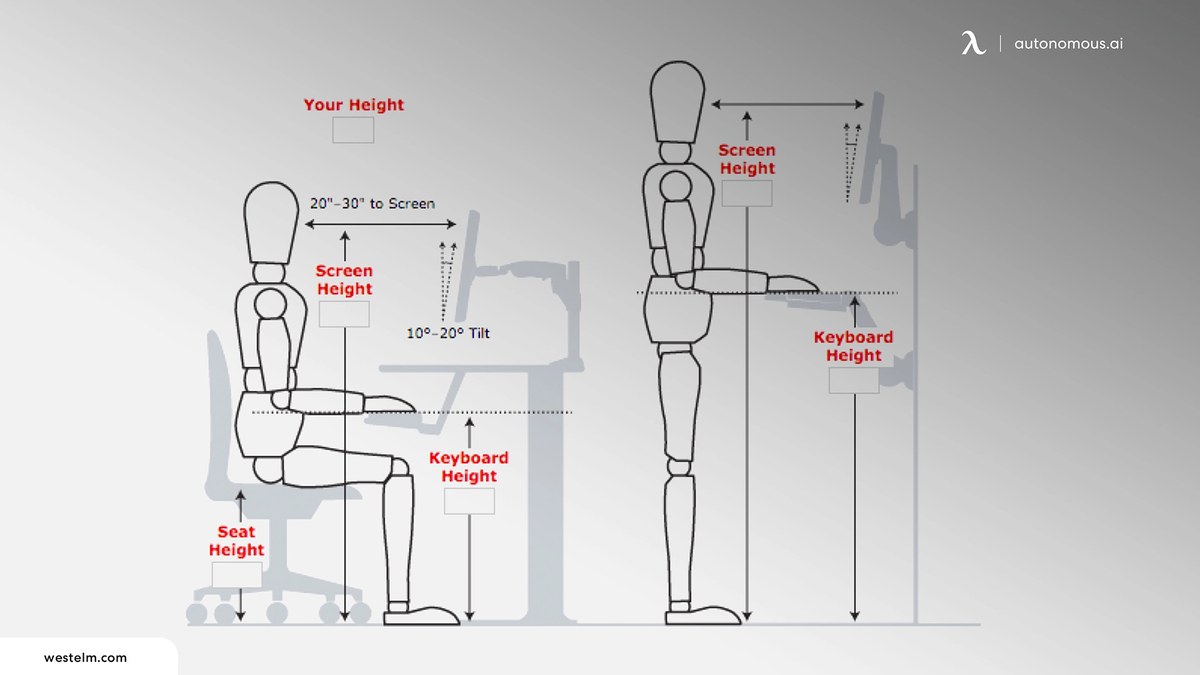
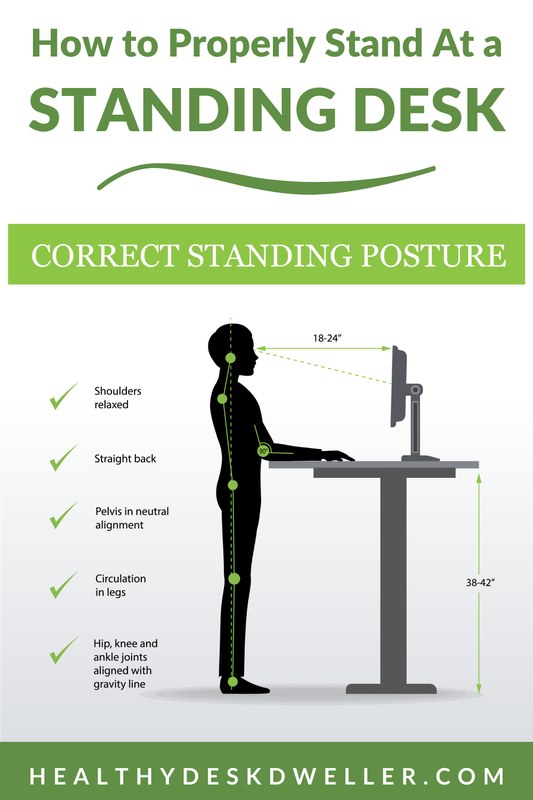
Ergonomic stand up desk measurements for monitor, arms, and standing posture.
Screen height, keyboard position, elbow angle, and standing posture
Ergonomics should be adjusted to your body, not copied from someone else’s desk photo. In general, your screen should sit high enough that you are not constantly looking down, while your keyboard and mouse should allow your elbows to stay close to your sides with your shoulders relaxed. Wrists should feel neutral rather than sharply bent upward.
When standing, think tall rather than rigid. Your knees should not lock, your weight should shift naturally, and your shoulders should stay relaxed. If you feel pressure building in your lower back, calves, or neck, your desk height or screen position may need adjustment, or you may simply need to sit for a while.
For laptop users, the common mistake is trying to make the built-in keyboard and screen both ergonomic at once. Raising the laptop helps your neck but hurts wrist position. That is why an external keyboard and mouse are usually the simplest fix.
- Adjust desk height separately for sitting and standing rather than using one compromise setting.
- Keep your primary screen centered to your body.
- Use presets if your desk offers them so you actually change positions.
- Standing with raised shoulders or bent wrists.
- Placing the monitor off to one side for full-day work.
- Using the desk at maximum height if a slightly lower setting feels more relaxed.
Desk depth, clearance, and how much space to leave around the setup
Depth affects comfort more than many buyers expect. A shallow desk can force the screen too close, especially with large monitors or monitor stands. A deeper top usually makes it easier to keep a comfortable viewing distance while still leaving room for a keyboard, notebook, or desk lamp.
Clearance around the desk also matters. Leave enough room behind the chair for easy movement when seated, and make sure the desk can travel upward without hitting shelves, window trim, or wall-mounted decor. If you plan to add under-desk storage, baskets, or a walking pad, measure that space before choosing the frame.
In narrow rooms, corner placement may make better use of the footprint than centering the desk on the longest wall. If you are still comparing room-saving formats, a roundup of the best small corner desk with storage can help you judge whether a corner layout is more practical than a straight desk.
Where to place the desk for natural light, glare control, and power access
Natural light can make a home office feel better instantly, but desk placement should balance brightness with screen visibility. A window beside the desk often works better than one directly in front of or behind the monitor because it reduces harsh glare and strong backlighting during video calls.
Power access is equally practical. Sit-stand desks need enough cable slack to move safely, so placing the desk near outlets can reduce messy extension runs. If the room has limited power points, plan cable routing before assembly rather than after the desktop is fully loaded.
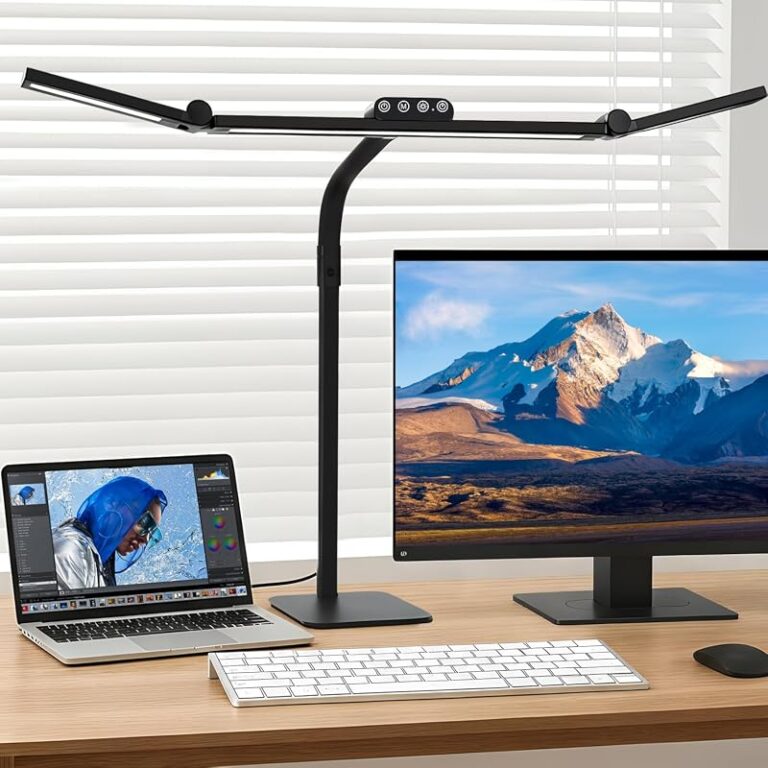
Lighting should also change with the time of day. If your room gets dim in the evening, add a task lamp that supports focused work without reflecting harshly on the screen.
Before committing to a desk position, mark the footprint on the floor with painter’s tape and test chair movement, walking clearance, and monitor sightlines for a day or two.
Stand Up Desk Setup Ideas to Match Different Home Office Styles
Minimal, modern, and Scandinavian looks
Minimal setups work best when the palette stays tight and the surfaces stay calm. Think light wood, white, soft gray, or matte black with only a few visible accessories. A slim monitor arm, a simple lamp, and one tray for daily tools can be enough to make the desk feel considered without looking sterile.
Scandinavian-inspired spaces often benefit from pale timber finishes, rounded shapes, and natural textures that soften the technical look of an adjustable frame. Linen curtains, a wool rug, and a neutral pinboard can help the desk blend into the room instead of dominating it.
Warm wood, design-led, and editorial-inspired setups
If you want the desk to feel more like furniture than office equipment, warm wood tones are a strong starting point. Walnut, oak, and medium brown finishes pair well with brass accents, smoked glass, textured ceramics, and framed art. This approach suits living-room offices and creative studios where atmosphere matters as much as efficiency.
Editorial-inspired setups often layer practical pieces with a few distinctive objects: a sculptural lamp, stacked books, a low vase, or a framed print leaning on a shelf nearby. The key is restraint. A stand up desk setup still needs room to move and function, so the styling should stop well before the mechanism or work zone feels crowded.
For a softer editorial look, pair a walnut or oak desk with a black task lamp, one oversized art print, and closed storage in a matching wood tone.
How to coordinate seating, storage, lighting, and decor without clutter
A cohesive setup usually comes from repeating finishes and limiting visual noise. If the desk frame is black, repeat black in the lamp base, monitor arm, or picture frame rather than introducing several unrelated metals. If the desktop is light wood, echo that tone in shelving or drawer fronts nearby.
Choose seating with the same care. A bulky chair can overpower a slim desk, while a very small chair may look elegant but fail during long work sessions. Try to balance comfort, scale, and style rather than treating the chair as an afterthought.
Storage should hide what does not need to stay visible. Closed drawers or cabinets keep chargers, paper, and spare accessories from swallowing the desktop. Decor should be selective: one plant, one framed piece, and one useful object often look stronger than five small accents competing for attention.
The Benefits, Trade-Offs, and Common Mistakes to Know Before You Buy
Potential comfort and productivity benefits of alternating between sitting and standing
For many people, the main benefit of a sit-stand setup is not dramatic transformation but better variety. Changing position throughout the day can help break up long sedentary stretches, support focus during certain tasks, and make it easier to reset posture when sitting starts to feel stale.
Some users also find that standing helps during calls, quick admin tasks, brainstorming, or reviewing documents. Sitting may still feel better for concentrated typing, detailed design work, or longer editing sessions. That mix is exactly why adjustability matters so much.
Limitations, budget realities, and who may need a more tailored ergonomic approach
Stand up desks are not a cure-all. If a user has ongoing pain, mobility limitations, or highly specific ergonomic needs, a more tailored workstation plan may be necessary. In those cases, general setup advice can help, but personalized guidance from a qualified professional may be more appropriate.
Budget is another reality. Entry-level desks can be enough for lighter use, smaller setups, or single-monitor work, while heavier tech loads and frequent height changes may justify a sturdier mid-range or premium frame. Features such as quieter motors, better stability, and nicer finishes often raise the cost, so it helps to decide which upgrades truly matter to your routine.
Mistakes like standing too long, poor monitor placement, and over-accessorising
The most common mistake is assuming more standing is always better. In practice, standing too long can create its own discomfort, especially if footwear, floor support, and posture are poor. The goal is variation, not endurance.
Another frequent issue is poor monitor placement. Screens that sit too low, too high, or too far to one side can turn a stylish setup into a neck-straining one. Laptop-only arrangements are especially prone to this unless external peripherals are added.
Over-accessorising is the design mistake that often becomes an ergonomic one. Too many shelves, trays, speakers, arms, and decorative objects can shrink the usable surface and interfere with movement.
- Supports position changes during the day.
- Can improve layout flexibility for mixed tasks.
- Often helps a home office feel more intentional and modern.
- Good ergonomics still depend on the rest of the setup.
- Stable, quieter models can cost more.
- Too many add-ons can reduce usable workspace.
How to Care for a Stand Up Desk Setup and Keep It Working Smoothly
Cleaning desktop materials, managing cables, and protecting moving parts
Care starts with the desktop surface. Always follow the maker’s care instructions for laminate, veneer, solid wood, or powder-coated metal parts, since cleaning needs can differ by finish. In general, a soft cloth and gentle cleaner are safer than abrasive pads or strong solvents.
Cable management should be checked regularly, not just once during assembly. As the desk moves, cords should remain slack enough to travel safely without dragging or pulling. Reposition adapters, power bricks, and cable loops if they begin catching on the frame or floor.
Moving parts should stay clear of dust buildup and obstructions. Avoid stacking boxes, baskets, or decor where they could interfere with the lifting path underneath or behind the desk.
Maintenance checks for frames, motors, presets, and accessories
Every so often, inspect bolts, monitor arm clamps, trays, and cable attachments to make sure nothing has loosened with regular movement. If the desk includes memory presets, confirm they still stop at the right heights after any changes to flooring, casters, or monitor arrangement.
If the motor begins behaving unusually, follow the manufacturer’s troubleshooting steps and service guidance rather than forcing the desk to operate. For replacement parts, reset instructions, and warranty questions, the official brand support page is the most reliable source.
Do not overload the desktop beyond the manufacturer’s stated limits, and keep cords, storage bins, and nearby furniture clear of the lift path to reduce strain on the frame and motor.
Are Stand Up Desk Setups Worth It in 2026
How to judge value across budget, mid-range, and premium options
In 2026, value comes down to fit, not just features. A budget desk can be worthwhile if it suits a lighter setup, offers an appropriate height range, and feels stable enough for your equipment. Mid-range options often make sense for daily home-office use because they tend to balance better materials, smoother controls, and stronger frames without pushing fully into premium pricing.
Premium models are usually most justified when the desk is used for long workdays, heavier equipment, or design-led spaces where finish quality matters as much as function. Since prices, specs, and availability shift often, it is smart to verify current details directly with the retailer or manufacturer before buying.
A practical final recommendation for building a healthier, stylish workspace
If you are planning a stand up desk setup, prioritize the fundamentals in this order: a desk with the right height range and stability, a screen and keyboard arrangement that suits your body, and a layout that fits your room without crowding it. After that, add only the accessories that solve a clear need, such as better monitor positioning, softer standing support, or cleaner cable routing.
The most successful setup is usually the one that feels easy to use every day and still looks calm in the room around it. Aim for a workspace that supports movement, leaves enough open surface to work comfortably, and blends with your home rather than turning it into a tangle of gear.
Frequently Asked Questions