What to Look for in a Standing Desk Before You Buy

Look for a standing desk with the right height range, stable frame, adequate weight capacity, and a desktop size that fits both your room and your equipment. After that, compare ergonomics, materials, cable management, and useful extras like memory presets.
If you’re researching what to look for in a standing desk, start with the basics: a height range that fits your body, enough weight capacity for your equipment, a stable frame, and a desktop size that actually suits your room and workflow. Everything else, from memory presets to cable trays, matters only after those core requirements are covered.
A good standing desk should feel practical rather than aspirational. The right model supports your monitor setup, fits your floor plan, and adjusts smoothly enough that you will genuinely use the sit-stand function instead of leaving it in one position.
- Start with fit: Height range and desktop size matter more than trendy extras.
- Check stability: Wobble becomes more noticeable at taller heights and with heavier setups.
- Match the room: Measure clearance for chairs, walking pads, shelving, and movement.
- Compare materials: Laminate, veneer, bamboo, and solid wood differ in look and upkeep.
- Verify details: Confirm official specs, care instructions, and warranty terms before ordering.
What to Look for in a Standing Desk Before You Buy: The Non-Negotiables
Before comparing finishes or extra features, focus on the four things that most strongly affect everyday satisfaction: height range, weight capacity, stability, and desktop size. These are the decision points that separate a desk that works for years from one that feels compromised from day one.
Height range, weight capacity, stability, and desktop size
The height range needs to work for both your seated and standing posture. That means checking the desk’s minimum and maximum height against your own body proportions, chair height, keyboard position, and monitor setup. A desk that goes high enough for standing but not low enough for comfortable seated use can be just as frustrating as the reverse.
Weight capacity matters because standing desks do more than hold a laptop. Many home office setups now include dual monitors, monitor arms, speakers, docking stations, task lighting, and sometimes printers or drawing tools. Manufacturers usually publish a maximum load, but it is worth confirming whether that figure applies to dynamic lifting, evenly distributed weight, or a static load. If the desk will carry heavy gear, always verify the official specification before buying.
Stability is equally important. A desk can look sleek online and still wobble once it is raised, especially if it has a narrow frame, a long top, or heavy monitor arms mounted at the back edge. For taller users and larger desktops, frame rigidity becomes even more important. Crossbars, better leg construction, and dual-motor designs can all help, but stability varies by model.
Desktop size should reflect how you actually work. A compact top may be enough for a laptop-only setup, but it can feel cramped if you use separate peripherals, paperwork, sketchbooks, or multiple displays. Depth matters as much as width because monitor distance affects comfort. If the top is too shallow, your screen can end up closer than ideal.
Why adjustability and ergonomics matter more than trend-led features
Trend-led features can be appealing: app controls, built-in LEDs, textured gaming surfaces, or decorative accents. But these should come after ergonomic fit. In practical terms, adjustability is what makes a standing desk useful. If the desk moves easily between positions and stores preferred heights, it is much more likely to become part of your routine.
Ergonomics also affect whether you can work comfortably for longer stretches. Your elbows should rest near a natural angle when typing, your wrists should not be forced upward, and your monitor should sit at an appropriate viewing height. If you need more help dialing this in, Hurrell Editions has a separate height of standing desk guide for better posture that covers setup basics in more detail.
In other words, buy for fit first, then convenience, then aesthetics. That order prevents expensive mistakes.
Choose the Right Standing Desk for Your Room, Routine, and Work Style
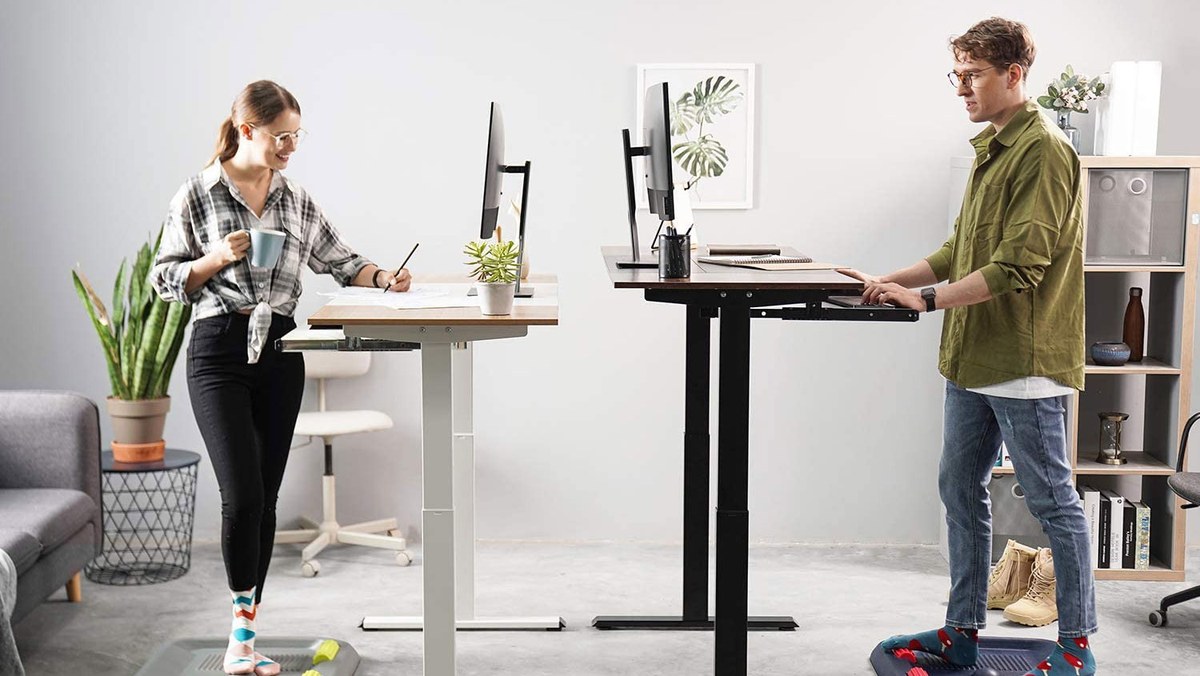
A standing desk in a home office highlights space, layout, and daily work setup.
A standing desk should suit the room it lives in, not just the idea of a home office. The right size and format for a dedicated office may be wrong for a bedroom corner, shared living space, or studio apartment.
Best fits for compact home offices, shared rooms, bedrooms, and studio spaces
In a compact home office, a rectangular desk with a modest footprint is often the safest choice. It leaves more room for storage, movement, and a task chair. In shared rooms, visual bulk matters almost as much as size. Slim legs, softer finishes, and cleaner cable management can help the desk blend in rather than dominate the space.
Bedrooms often need quieter styling and tighter proportions. A desk that is too deep can crowd circulation around the bed, while one that looks overtly corporate may feel out of place. If your room is especially tight, comparing standing desks against more compact alternatives can help; our guide to the best small writing desk for bedroom explores when a smaller footprint may suit the space better.
Studio spaces need flexibility. In open-plan rooms, a standing desk may need to function as both workstation and furniture piece. That makes finish quality, cable control, and visual simplicity more important than they might be in a closed office.
For shared or visible spaces, look at the desk from across the room as well as from the product page. Exposed cables, thick tops, and oversized legs can make a small room feel busier than the dimensions suggest.
Who benefits most: remote workers, creatives, gamers, and occasional laptop users
Remote workers who spend long hours at a desk usually benefit most from a full electric standing desk, especially if they use external monitors and switch positions throughout the day. For this group, memory presets, stability, and cable management are often worth prioritizing.
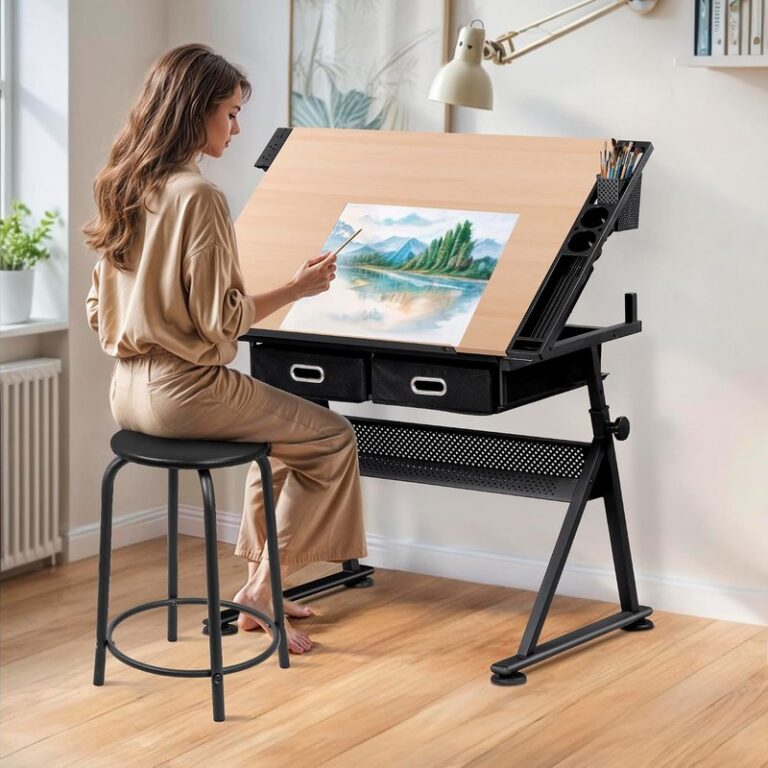
Creatives may need more surface area for sketchbooks, tablets, reference materials, or tools. They may also care more about finish texture, edge comfort, and whether the desk works with storage nearby. If your workflow includes art or design tools, Hurrell Editions also covers the best standing desk for artists with more use-case-specific considerations.
Gamers often load desks more heavily with monitors, arms, audio gear, and accessories. That makes weight capacity and wobble control especially important. Occasional laptop users, by contrast, may not need a large or premium desk at all. If you work only a few hours a week from home, a standing desk converter or compact adjustable option may offer better value than a large electric frame.
Key Specifications That Separate a Good Standing Desk from a Poor One
Once the room fit is clear, the next step is understanding the specifications that affect real-world performance. This is where marketing language can be misleading, so it helps to know what each feature actually changes.
Single-motor vs dual-motor frames, lifting speed, and noise levels
Single-motor desks are often simpler and may suit lighter setups, but dual-motor frames typically offer smoother lifting and better support for wider tops or heavier loads. That does not mean every dual-motor desk is excellent, but it is usually a positive sign when stability and lifting consistency matter.
Lifting speed influences convenience more than comfort, yet it still matters. A desk that takes too long to adjust may discourage frequent use. Noise levels are also worth checking if you work in a shared room, take video calls, or adjust the desk early in the morning or late at night. Manufacturer claims on speed and noise can be helpful, but they should be treated as model-specific rather than universal.
Minimum and maximum height for sitting-to-standing comfort in 2026 setups
In 2026, many home office setups include monitor arms, thicker anti-fatigue mats, ergonomic keyboards, and larger displays than older desk designs were built around. That makes height range even more important. A standing desk should accommodate your seated posture without forcing your chair too high, and it should also rise enough to keep your keyboard at a comfortable level when standing.
Taller users should pay close attention to maximum height, especially if they use a thick desktop, a treadmill base, or a mat that raises standing position slightly. Shorter users should scrutinize minimum height just as carefully. A desk that does not lower enough can create shoulder tension when seated.
Published height ranges can vary depending on whether the brand measures to the frame, the desktop surface, or the full assembled unit. Always check how the measurement is defined on the official product listing.
Cable management, memory presets, anti-collision features, and power options
Cable management is one of the most underrated factors in standing desk ownership. Without it, wires can snag, dangle, or create visual clutter. Look for cable trays, grommets, under-desk routing options, or enough space to add your own management accessories.
Memory presets are genuinely useful if more than one person uses the desk or if you move between sitting and standing often. They remove friction from the adjustment process. Anti-collision features can also be valuable, particularly in tight rooms where the desk may rise near shelving, window ledges, or storage units.
Some desks include integrated power features such as charging ports or built-in outlets. These can be convenient, but they should not outweigh the core frame quality. If power options are important, verify electrical specifications, cable length, and compatibility details directly with the manufacturer or retailer.
Desktop Materials, Finishes, and Build Quality to Compare Before Buying
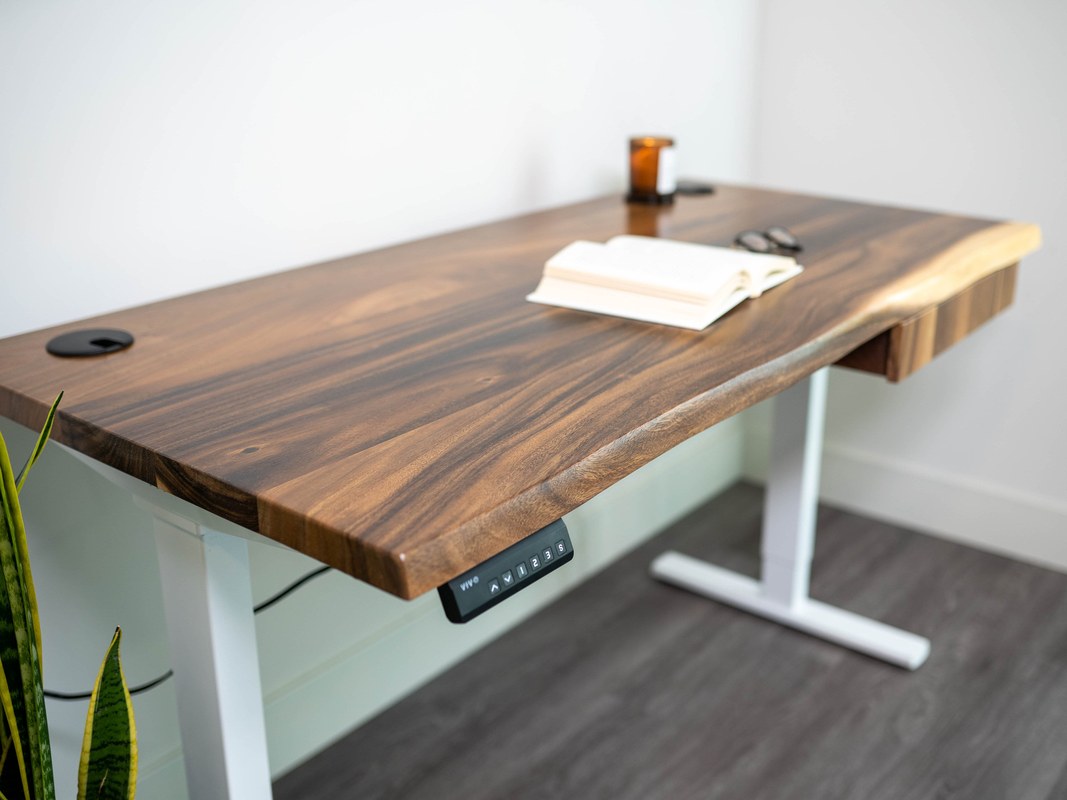
Desktop material samples compare wood grain, laminate surfaces, and edge finishes.
The desktop and frame materials influence not just appearance, but also durability, weight, feel, and maintenance. In many cases, the material choice will affect how “premium” the desk seems after the novelty wears off.
Solid wood, veneer, laminate, bamboo, and powder-coated steel explained
Solid wood tops usually offer the richest natural character, with visible grain variation and a heavier, more furniture-like feel. They can age beautifully, but they may also require more care and can vary in tone. Veneer gives a real-wood surface over a core material, often offering a refined look with more controlled cost and weight.
Laminate is common because it is practical, consistent, and often easier to clean. It may not have the depth of real wood, but a good laminate can still look smart in a home office. Bamboo is often chosen for its warm tone and contemporary appeal, though construction quality varies by manufacturer.
Powder-coated steel is usually used for the frame rather than the top. It gives the base a cleaner finish and can help resist everyday wear better than lower-quality painted metal.
Durability, edge quality, scratch resistance, and long-term maintenance expectations
Durability depends on more than the headline material. Edge quality matters because edges take frequent contact from wrists, sleeves, bags, and chairs. A desk can have a decent top surface but still feel cheap if the edge treatment is rough or prone to chipping.
Scratch resistance also varies. Matte surfaces can hide fingerprints well but may show scuffs differently than satin or gloss finishes. Wood-based tops may need more cautious care around drinks, heat, or sharp objects. Always check the brand’s care instructions rather than assuming all desks in the same material category behave alike.
Long-term maintenance should be realistic. If you want something easy to live with, prioritize surfaces that wipe clean and do not demand frequent refinishing or special products.
How to Size and Place a Standing Desk in a Home Office
Even a well-made desk can feel wrong if it is poorly sized for the room. Measuring carefully before buying is one of the easiest ways to avoid returns and layout frustration.
Measuring width, depth, legroom, and monitor distance
Start with width and depth, but do not stop there. Width affects how much equipment you can place side by side, while depth affects monitor distance, keyboard space, and writing room. Legroom matters too, especially if the desk frame includes a crossbar, storage attachment, or bulky lifting columns.
For monitor users, make sure the depth allows a comfortable viewing distance without pushing the keyboard too close to the front edge. If you use monitor arms, remember that they can either save space or demand extra rear clearance depending on the design.
Clearance for movement, chair storage, walking pads, and nearby shelving
You also need room around the desk. Check chair pull-back distance, side clearance, and whether the desk can rise without hitting shelving, radiators, or wall-mounted pieces. If you plan to use a walking pad, measure its footprint and storage position in advance, not just the standing area.
Nearby shelving can affect usability more than expected. A desk that fits on paper may still feel cramped if upper shelves visually crowd the setup or block monitor placement. If storage is a major priority, our guide on how to choose a desk with storage may help you compare integrated storage against a cleaner sit-stand layout.
How to match desk proportions with existing decor and room layout
Proportion matters visually. A thick, heavy desktop can overwhelm a light room, while a very slim desk may look undersized beside substantial shelving or a large office chair. Try to match the desk’s visual weight to the rest of the room.
In narrow rooms, a lighter finish and open-leg design can help maintain an airy feel. In larger offices, a broader top or thicker material can help the desk feel intentional rather than temporary.
- Measure the desk footprint and the circulation space around it.
- Check seated and standing height range against your setup.
- Confirm load capacity for monitors, arms, and accessories.
- Review official care instructions, warranty terms, and assembly details.
Style Considerations: Finding a Standing Desk That Looks Right at Home
A standing desk is often one of the largest pieces in a home office, so its style has a major effect on the room. The goal is not just function, but cohesion.
Matching finishes with modern, classic, minimalist, and design-led interiors
Modern interiors often suit clean-lined desks in black, white, oak-effect, walnut-effect, or soft neutral finishes. Minimalist rooms tend to benefit from simple silhouettes, concealed cables, and low-contrast hardware. Classic interiors may look better with warmer wood tones and slightly more substantial tops.
Design-led interiors can accommodate bolder choices, such as darker wood, statement legs, or more sculptural forms. In these spaces, the desk can act as a deliberate visual anchor rather than disappearing into the background.
When to choose statement pieces versus discreet work-from-home furniture
If the desk sits in a dedicated office, a stronger design statement can work well. If it lives in a living room or bedroom, a more discreet piece is often easier to live with visually. The right choice depends on whether you want the workspace to stand out or blend in.
Discreet furniture usually ages better in multipurpose rooms. Statement desks can be rewarding, but only if they still support the practical needs that made you consider a standing desk in the first place.
Benefits, Limitations, and Common Buying Mistakes to Know in Advance
Standing desks can be a worthwhile upgrade, but they are not a cure-all. A balanced view helps you buy more confidently and use the desk more effectively.
The practical upsides of sit-stand working without overpromising health claims
The most practical advantage is variety. A sit-stand desk makes it easier to change position during the day, which many people find useful for comfort, focus, and workflow flexibility. It can also help adapt the desk for different tasks, such as typing, sketching, reading, or video calls.
That said, it is best not to overstate health outcomes. A standing desk does not automatically fix posture, remove discomfort, or transform work habits. It is a tool that supports movement and adjustability, not a guarantee.
Common pitfalls: buying too small, ignoring wobble, and overlooking cable clutter
One of the most common mistakes is buying a desk that is too small for the actual setup. Another is focusing on top material and ignoring frame stability. Wobble is far more noticeable in daily use than many buyers expect, particularly at taller heights.
Cable clutter is another frequent oversight. A beautiful desk can quickly look chaotic if chargers, monitor leads, and power bricks are left unmanaged. When comparing models, treat cable routing as part of the design, not an afterthought.
- Prioritize fit, stability, and usable surface area before extras.
- Measure the room, chair clearance, and monitor depth carefully.
- Verify official specs, warranty terms, and care guidance before ordering.
- Assuming every electric desk is stable at full height.
- Choosing a narrow top for a multi-monitor or creative setup.
- Paying extra for smart features while overlooking core ergonomics.
Evidence limits, realistic expectations, and when a converter may be the better alternative
There are evidence limits to keep in mind. Comfort and usability depend heavily on individual height, equipment, room layout, and work habits. Manufacturer specifications tell you part of the story, but they do not fully predict how a desk will feel in your home.
A standing desk converter may be the better choice if you already own a solid desk, have limited space, or work from home only occasionally. Converters can also make sense for renters or anyone not ready to commit to a full furniture replacement. If that route appeals, Hurrell Editions has additional ideas on DIY standing desk converter ideas for smaller-scale setups.
Care, Long-Term Value, and the Final Buying Recommendation
Long-term value comes from a desk that continues to function smoothly, still suits your room, and does not feel undersized or unstable after a few months.
How to maintain mechanisms, protect surfaces, and extend lifespan
Follow the manufacturer’s care instructions for both the frame and the top. In general, keep lifting columns clean, avoid overloading the desk, and check fasteners periodically if the brand recommends it. Surfaces last longer when spills are wiped promptly and abrasive cleaners are avoided.
Do not assume all wood, bamboo, laminate, or coated-metal surfaces can be cleaned the same way. Always confirm approved cleaning methods and moisture precautions with the manufacturer.
What represents good value in 2026 and which features are worth paying for
In 2026, good value usually means paying for the features that improve daily use: a suitable height range, dependable stability, enough load support, and a desktop size that fits your equipment. Memory presets and decent cable management are often worth the extra cost if you use the desk regularly.
By contrast, some premium add-ons are easier to skip. If a desk looks impressive but lacks the right dimensions or frame quality, it is unlikely to feel like good value over time. Since specifications, availability, and warranty terms can vary by retailer and model, confirm all current details before buying.
A transparent verdict on how to choose the best standing desk for your needs
The smartest way to choose a standing desk is to work from function outward. First confirm the height range, stability, weight capacity, and desktop size. Then assess room fit, materials, cable management, and style. Only after that should you compare convenience features.
If you use a desk daily, it is usually worth spending more for a steadier frame and a better-fitting size. If your setup is light or occasional, a simpler desk or converter may be the more sensible choice. The best buy is the one that supports your actual routine, fits your room cleanly, and makes position changes easy enough that you will truly use them.
Frequently Asked Questions