Standing Desk and Back Pain: What Actually Helps

A standing desk can help back discomfort, but it is not a cure by itself. The biggest gains usually come from switching between sitting and standing, setting the desk to the right height, and moving regularly.
Standing desk and back pain are closely linked, but not in the simple way many people hope. A standing desk can help reduce strain for some home office users, yet the biggest improvements usually come from better desk height, smarter screen placement, regular movement, and switching positions instead of trying to stand all day.
If your current setup leaves you stiff by late morning or sore by evening, it is worth approaching the problem like an ergonomics issue rather than a single-product fix. The right desk can support healthier habits, but a poor setup at any height can still aggravate your back.
- Not a cure: A standing desk helps most when it supports posture changes, not all-day standing.
- Best features: Height range, stability, and desktop depth matter more than flashy extras.
- Setup counts: Monitor height, elbow position, and keyboard placement can reduce strain fast.
- Accessories help: A good chair, monitor arm, footrest, or anti-fatigue mat can improve comfort.
- Know the limit: Persistent or severe back pain may need clinical advice, not just new furniture.
Standing desk and back pain: what actually helps first
Why a standing desk is not a cure on its own
Back pain at a desk often comes from a mix of factors: long static sitting, a screen that is too low, a keyboard that forces shoulder tension, poor lumbar support, or simply not moving enough during the day. A standing desk can address one part of that picture by making it easier to change position, but it does not automatically correct posture or remove the effects of long work sessions.
That is why some people buy a sit-stand desk and still feel uncomfortable within a week. If the monitor remains too low, the wrists stay bent upward, or the user locks their knees while standing, the desk may just shift strain from one area to another. Standing can reduce the pressure of prolonged sitting, but it can also create fatigue in the low back, hips, feet, and calves when overdone.
The real goal: posture variety, correct desk height, and movement through the day
The most useful way to think about a standing desk is as a tool for variation. Instead of holding one “perfect” posture for hours, the aim is to rotate between sitting, standing, and brief movement breaks. That variety changes joint angles, reduces continuous loading on the same tissues, and tends to be more realistic for home working than a rigid all-standing plan.
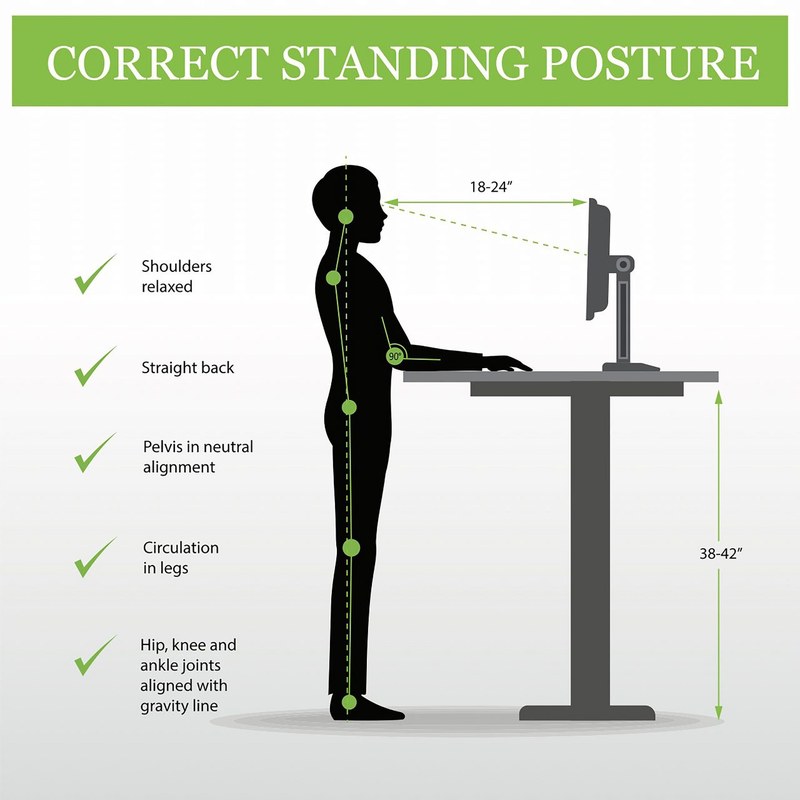
Correct height matters just as much. In both sitting and standing positions, your elbows should usually rest near a roughly 90-degree angle with shoulders relaxed, while the top of the screen sits around eye level for many users. Small adjustments can make a surprisingly large difference to neck and lower-back tension.
If back pain is your priority, shop for adjustability before aesthetics. A beautiful desk that does not lower or raise to your working height is harder to live with than a simpler model that fits your body well.
Who benefits most from a standing desk and when it fits a home office
A home office setup shows a worker using a standing desk.
Best for desk-bound workers, hybrid setups, and compact studies
Standing desks tend to make the most sense for people who spend much of the day at a computer and have enough floor space to use the desk comfortably in both positions. They can be especially helpful in home offices where the workday includes long writing, meetings, editing, design work, or admin tasks that otherwise encourage hours of uninterrupted sitting.
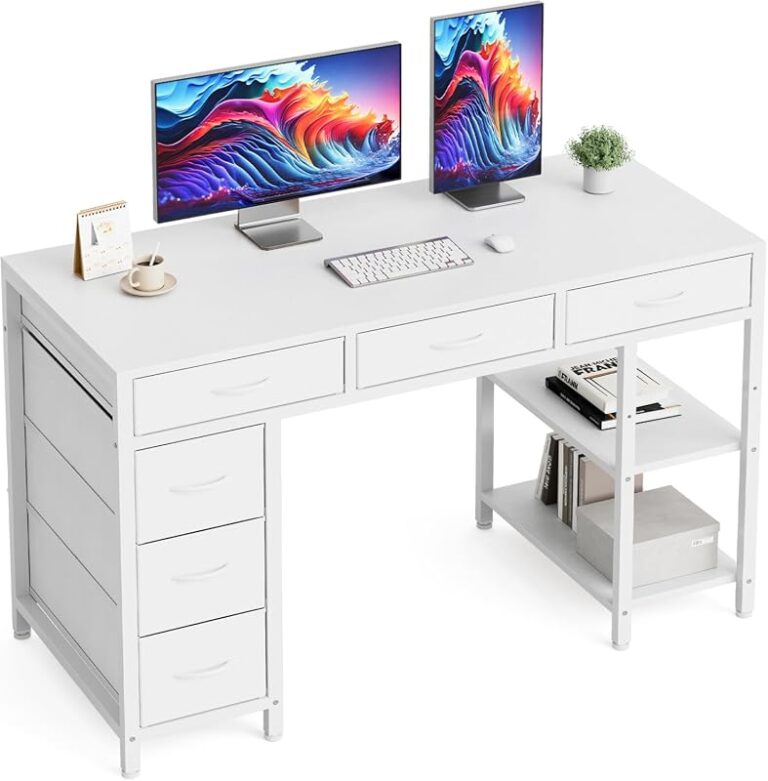
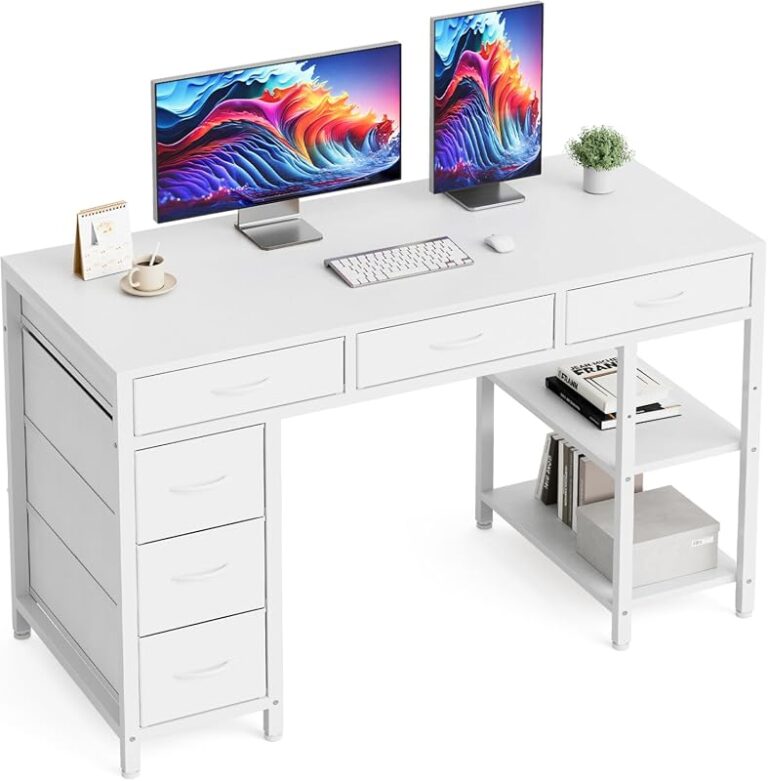
They also fit hybrid routines well. If you work from home a few days a week, a sit-stand desk can make a compact room feel more adaptable without requiring a full ergonomic overhaul. In smaller spaces, choosing the right footprint matters just as much as the lift function. Readers comparing layouts may also find it useful to look at small desks with storage if they need a more compact home office solution alongside ergonomic priorities.
When back pain may need clinical advice rather than a furniture upgrade
Not all back pain is mainly a desk problem. If pain is severe, persistent, radiates down the leg, includes numbness, or worsens regardless of position, a medical assessment may be more important than changing furniture. The same applies if pain follows an injury or interferes with sleep.
Furniture can support comfort, but it cannot diagnose or treat underlying conditions. A standing desk is best viewed as part of a broader setup strategy, especially when symptoms are mild to moderate and clearly linked to long desk sessions.
Specifications such as height range, lifting speed, and weight capacity vary widely by model. Always confirm the official product listing and warranty terms before buying.
What to look for in a standing desk if back pain is the priority
Height range, stability, and smooth adjustability
The first thing to check is whether the desk can reach your ideal sitting and standing heights. A desk that is too high at its lowest setting can force raised shoulders while seated. One that does not go high enough can make taller users hunch while standing. This is one of the most important buying filters, and it is more useful than broad marketing claims about comfort.
Stability is just as important. If the desk wobbles while typing, leaning, or using multiple monitors, you may tense your shoulders and brace through your trunk without realizing it. For back pain concerns, a stable frame is not a luxury feature. It directly affects how relaxed your working posture can be.
Smooth adjustability matters too. A desk that moves quietly and predictably is more likely to get used throughout the day. If changing height feels awkward or disruptive, many owners leave the desk in one position and lose the main benefit.
Desktop depth, monitor placement, and keyboard positioning
Desktop depth affects how well you can place the monitor at a comfortable viewing distance. A shallow top can push the screen too close, which may encourage neck extension or slouching. A deeper top generally gives more flexibility for monitor stands, arms, and full-size keyboards, though the right depth depends on your equipment and room size.
Keyboard and mouse placement should allow your forearms to rest comfortably without reaching forward. If your wrists bend upward or your elbows drift too far from your sides, shoulder and upper-back tension often follows. People using drawing tablets or larger peripherals may want to compare options designed for creative work, such as this guide to the best standing desk for artists, because workspace depth and layout become even more important.
Weight capacity, noise level, presets, and cable management
Weight capacity matters most when your setup includes dual monitors, speakers, desktop towers, heavy arms, or storage accessories. The desk should comfortably support your actual load, not just the bare minimum. Overloading can affect performance, stability, and long-term reliability.
Noise level is easy to overlook in a home office, especially in shared spaces or bedrooms. A quieter motorized desk is simply less disruptive. Memory presets are also genuinely useful rather than decorative for many users, because they make it easier to switch positions without guessing heights each time.
Cable management is not only about looks. Tangled cables can limit movement, snag during height changes, or force awkward equipment placement. Clean routing under the desktop helps the desk function properly and keeps the work zone safer and easier to adjust.
- Check the desk’s minimum and maximum height against your seated and standing elbow height.
- Confirm the frame stays stable with your monitor, keyboard, and accessories.
- Look at desktop depth, not just width, so the screen can sit at a comfortable distance.
- Verify load capacity, warranty coverage, and whether presets or cable tools are included.
Key specifications and materials that affect comfort, durability, and daily use
Close-up highlights materials, controls, and build details affecting everyday desk use.
Frame construction, motor quality, and wobble control
The frame does most of the ergonomic heavy lifting. Heavier-gauge steel, better cross-support, and more refined leg columns often improve stability, though exact build quality varies by manufacturer. Dual-motor designs are commonly chosen for larger tops or heavier setups, but the best option depends on the desk size and load rather than a single rule.
Wobble control becomes more noticeable at taller standing heights. If you are taller, use monitor arms, or type with force, this point matters even more. Reviews can be helpful for spotting common complaints, but it is still smart to compare official specifications and return terms before ordering.
Desktop materials, edge profile, and finish choices
Desktop material affects both feel and durability. Laminate and engineered wood tops are common because they are practical and easier to maintain, while solid wood or veneer can offer a warmer furniture look. None of these materials automatically improves back comfort, but edge profile can. A softer front edge is often more comfortable on forearms during long sessions than a sharp square edge.
Finish choice also shapes how the desk works in a room. Light finishes can help a small office feel more open, while darker wood tones may suit a more traditional study. If you are balancing ergonomics with storage and layout, broader desk-planning guides like how to choose a desk with storage can help you avoid solving one problem while creating another.
Accessories that can help: monitor arms, footrests, anti-fatigue mats, and task chairs
Accessories often make a bigger difference than expected. A monitor arm can bring the screen to the right height without stacking books or compromising desk space. A footrest may improve seated comfort for shorter users or anyone whose chair height and desk height do not align perfectly.
An anti-fatigue mat can make standing more comfortable for longer stretches by slightly reducing pressure underfoot. A supportive task chair still matters even if you plan to stand regularly, because the goal is alternating well-supported positions rather than abandoning sitting altogether. Chair quality is especially relevant if your current seat is causing slouching or pelvic tilt issues.
- Choose a desk finish that matches the largest furniture piece in the room for a calmer, more intentional look.
- Use a monitor arm if you want a cleaner desktop and better screen height control at the same time.
- Keep frequently used items within easy reach so you do not twist repeatedly from a standing position.
How to set up a standing desk to reduce back strain
Ideal desk, screen, and elbow height
For many users, the best starting point is simple: set the desk so your shoulders stay relaxed and your elbows rest near your sides while typing. The keyboard should not force your wrists to bend sharply, and the monitor should be high enough that you are not constantly looking down.
The exact numbers depend on your height, shoes, chair, and equipment, so copying someone else’s settings rarely works perfectly. If you use a laptop alone, consider that the screen and keyboard are fixed together. That often means a laptop stand plus external keyboard and mouse is the easier route to a healthier setup.
Standing-to-sitting ratios that are realistic in 2026 home working routines
For most people working from home in 2026, a realistic pattern is alternating positions throughout the day rather than aiming for equal hours of sitting and standing. Short standing blocks, followed by seated work and brief walks, are usually more sustainable than dramatic all-day standing goals.
A practical approach is to stand for a task or meeting, sit for focused typing, then move for a few minutes between work blocks. The exact rhythm depends on comfort and workload, but consistency matters more than any trendy ratio. If standing leaves your low back or feet more irritated, shorten the standing intervals rather than pushing through.
Placement within the room for light, reach, and movement space
Desk placement affects comfort more than many buyers expect. You need enough clearance behind and beside the desk to move safely as it rises, especially if the room is tight. Keep commonly used storage within easy reach so you are not repeatedly twisting or overreaching from either seated or standing positions.
Natural light can reduce screen glare and eye strain when managed well, but direct window placement may create reflections that make you crane your neck. In small rooms, it can help to leave a bit of open floor around the desk rather than pushing it into a cramped corner where movement becomes awkward.
Adjust the desk and chair so your shoulders are relaxed, elbows are comfortable, and feet are supported.
Bring the work surface up until your forearms stay level without shrugging or leaning forward.
Move the monitor so you are looking forward rather than down, with a comfortable viewing distance.
Alternate sitting and standing, and add short walking or stretching breaks instead of relying on posture alone.
Benefits, limitations, and the most common mistakes people make
Where standing desks can support comfort and productivity
A good standing desk can make it easier to break up long sedentary periods, change posture during calls, and stay more aware of body position through the day. Many people also like the flexibility it adds to a home office, especially when one room needs to support different tasks or multiple users.
For some, that flexibility supports better focus. Standing can feel useful during meetings, reading, brainstorming, or light admin work, while sitting may remain better for deep concentration or longer typing sessions. The best setups support both without friction.
Why too much standing can make symptoms worse
Standing is not automatically healthier just because it is not sitting. Long static standing can increase fatigue in the low back and legs, especially on hard floors or with poor footwear. If you brace your core constantly, lean into one hip, or lock your knees, discomfort can build quickly.
This is where expectations often go wrong. The desk is most helpful when it encourages movement and variation, not when it turns the workday into another fixed posture challenge.
Mistakes such as poor monitor height, locked knees, and overcommitting to standing
Common mistakes include using the desk too high, leaving the monitor too low, standing rigidly without shifting weight, and trying to stand for hours from day one. Another frequent issue is ignoring the chair. If the seated setup is poor, alternating positions may still leave you uncomfortable overall.
- Alternate positions based on comfort and task type.
- Keep the monitor at a height that reduces looking down.
- Use small movement breaks to reset posture through the day.
- Assuming standing all day is the goal.
- Locking your knees or leaning into one side.
- Buying a desk before checking whether the height range fits you.
Style and value: choosing a standing desk that suits your room and budget
Matching finishes to modern, classic, and minimal home office schemes
Standing desks no longer have to look purely corporate. Clean white tops and matte frames suit minimal rooms, wood-look finishes can soften a contemporary office, and darker tones often work better in classic or library-inspired spaces. If the desk lives in a bedroom or shared living area, visual fit matters because the piece will be seen in both raised and lowered positions.
Try to match either the room’s dominant wood tone or its main metal finish rather than mixing too many competing elements. That approach usually looks more intentional than chasing a trendy color that does not connect with the rest of the space.
When premium features are worth paying for and when they are not
Premium features are worth paying for when they directly improve daily function: a broader height range, better stability, quieter motors, stronger warranty support, and memory presets for multiple users. Those upgrades can meaningfully affect comfort and long-term satisfaction.
They are less essential when they are mostly cosmetic or when your workload is light. For example, if you use a laptop for a few hours a day in a small study, you may not need a large top, heavy-duty frame, or advanced control panel. The right value choice depends on how often you will actually change positions and how much equipment the desk must support.
Alternatives if a full standing desk is not the best buy
A full sit-stand desk is not the only route. Desktop converters can be useful if you already own a solid desk with the right footprint and storage. They can also be easier for renters or anyone avoiding a full furniture replacement. If that sounds more practical, Hurrell Editions also has guides to DIY standing desk converter ideas and DIY desktop standing desk ideas for readers exploring lower-commitment options.
In very small rooms, improving chair support, raising the monitor, and adding movement breaks may deliver more value than replacing the whole desk. Sometimes the smartest buy is a better accessory setup rather than a bigger piece of furniture.
Care, maintenance, and a transparent final recommendation
Keeping motors, frames, and surfaces in good order
Maintenance is usually straightforward but worth doing. Keep the lifting columns and underframe free from dust buildup, avoid overloading the desk, and wipe surfaces according to the manufacturer’s care guidance. Periodically checking bolts and fittings can help maintain stability over time, especially after moving the desk or reconfiguring equipment.
Do not assume every desktop finish handles heat, moisture, or cleaning products the same way. Follow the maker’s surface care instructions and confirm electrical and warranty guidance before making adjustments or adding accessories.
How to judge long-term value, warranty support, and evidence limits
Long-term value comes from fit, function, and reliability rather than marketing promises. Check what the warranty covers, how replacement parts are handled, and whether the brand clearly publishes specifications. If current dimensions, load limits, or support terms are unclear, confirm them before ordering.
It is also important to be honest about evidence limits. A standing desk may support better comfort habits, but no desk can guarantee pain relief for every person or every type of back issue. The quality of the setup and the user’s daily routine matter as much as the desk itself.
The clearest verdict: what really helps back pain in practice
If back pain is your main concern, choose a standing desk only if it gives you the right height range, stable support, and an easier way to alternate positions. In practice, what really helps most is a combination of proper monitor and keyboard placement, a supportive chair, shorter standing intervals, and regular movement through the day.
For many home office buyers, that means a sit-stand desk is a good solution when it removes a clear setup problem. But if your symptoms are persistent or your room is too small for a proper ergonomic layout, accessories, a converter, or clinical advice may be the better first step.
Frequently Asked Questions